Car diagnostic tools information by obd2tool

Welcome to my blog,here some auto diagnostic tools will be displayed. If you want to know more information,you can visit our official website: www.obd2tool.com.

Car diagnostic tools information by obd2tool

Welcome to my blog,here some auto diagnostic tools will be displayed. If you want to know more information,you can visit our official website: www.obd2tool.com.

Test with VAS5054A, Conclusion, Recommendation

Here is my story of Odis 4.4.10.
Link: thanks to GUSS shared links at Obd2tool.com
VAS 5054A and odis 4.4.10:

One of my 2 vas5054a has original amb2300 but does not work with odis-s 4.4.10.
I get a ODS2522E that hardware is not supported. (same as the one without original amb2300)

I have tested amb2300 with softing edic configuration manager. Also tested with PDU api application. All tests ok. Configurator manager did not work with vas5054a without amb2300

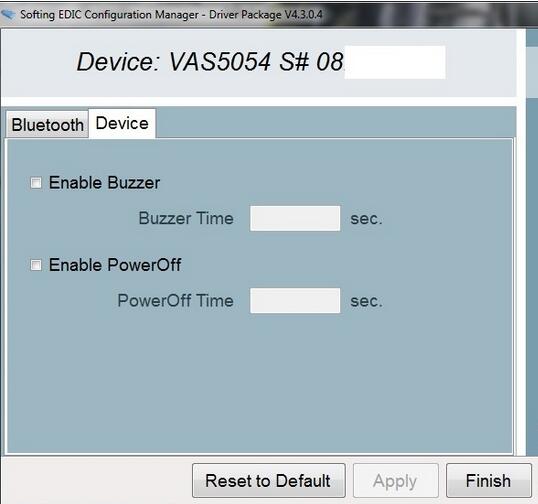
vas5054a-odi-error-1 vas5054a-odi-error-2

Then, tested working PDU api and tried to solves the issue however I am not happy with the result. In theory original amb2300 should work.

Tests:
1. 1.20.41 does not work at all with either of my 2 interfaces. So back to 1.20.42
2. Enabled buzzer just to check that my amb2300 is original. Enabled.
3. Tried to connect with bluetooth (amb2300 interface). Laptop connected successfully. Tried to connect odis-s with car and started buzzing continuously and then an error appeared, buzz continued.
In English
there is no mcd project available

I am ditching odis-4.4.10.

Before 4.2.3 test will test 4.3.3 to check if that works, in order to check if the problem is hardware or software.

vas5054a-odi-error-3

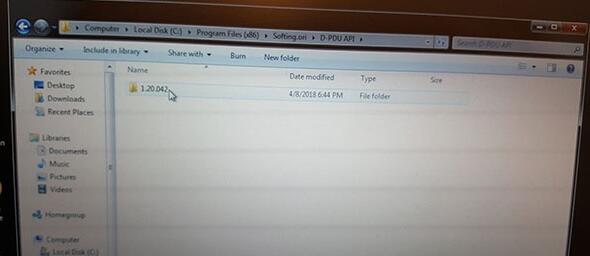
Then i was advised to make another folder Softing.ori  put ther new Pdu:
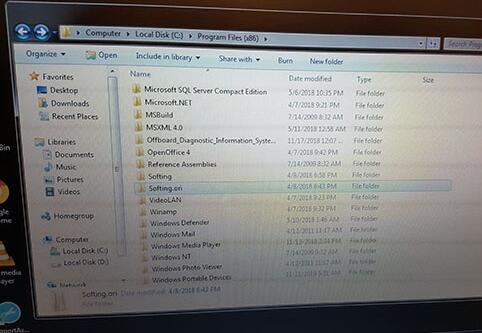
vas5054a-odi-error-4 vas5054a-odi-error-5

vas5054a-odi-error-6 vas5054a-odi-error-7 vas5054a-odi-error-8

Did not work but good try. That made me think that PDU API is the problem.

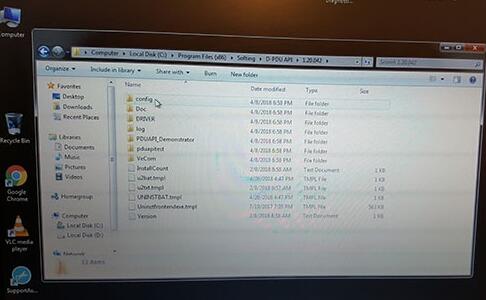
However found out that VW has locked the D-PDU API directory location (or file names) and managed to install at the 1.20.042 location the 1.20.041 pdu api and renamed 3 files to …..1.20.042 (2 xml 1 dll same as DPDU api test application 3 files mentioned).

now it works, actually tested just vas5054a with fake bluetooth and works.

This is not a straight forward procedure, however after manipulation of D-pdu api (1.20.042 vecom, the 3 files) odis 4.4.10 works.

My amb2300 is original since I have downgraded it to 1.20.041 firmware (with the D-PDU API) test application) however it does not work out of the box with odis 4.4.10. Will test the second one tomorrow.

My conclusion:

First, that pdu api directory (file name) is locked.

Second, amb2300 original does  not work as tested. (problem with 1.20.042 pdu API driver specifically Softing/1.20.042/VeCom/VAS5054a files as seen in second solution below).

Other solutions:
1. Test the PDU API 1.20.042 found in odis 4.3.3 (check pdu_api_root.xml is correct 1.20.042)
2. Want to test original 1.20.042 but to replace in vecom vas5054 folder from 1.20.041 folder. (No other changes, check again pdu_api_root.xml is for 1.20.042 )

Test performed:
1. Tested second vas5054a with original amb2300. All tests with usb and bluetooth pass with first solution above. Note in this test I used amb2300 firmware 1.20.041 since I used pdu api 1.20.041 renamed folder to 1.20.042 and 3 files to 1.20.042 as discussed above. Bluetooth works too.

2. Second solution tested with original amb2300. (not tested with clone but most probably will work)
b) reinstall pdu api 1.20.042 pdu api
b) Replace vas5054 folder (from 1.20.041) in softing/1.20.042/vecom/vas5054.
c) update amb2300 firmware to 1.20.042 (this is the difference from solution 1) since I used pdu api 1.20.042.
d) Both usb and bluetooth work. Amazing… I have original amb2300 (but with fake serial number).
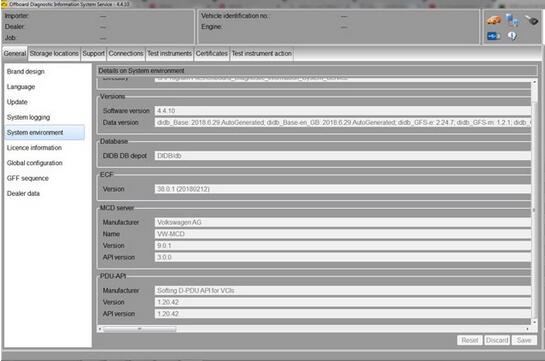
vas5054a-odi-error-9

Recommendation:

The files are full

No need search for launcher, license…and NEVER expired

It’s tested 100% by real pros and confirmed to work no issues

Also, remote help can be got if you have any issue of installation
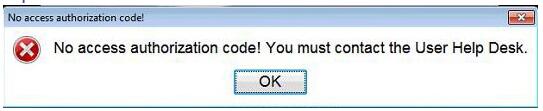
No access authorzation code! you must contact the User Help Desk

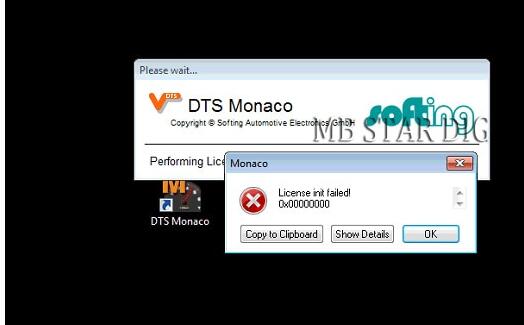
When you see those errors please don’t worry! just contact us directly if you don’t know!
Please don’t make dispute if the reason is for one of those error!

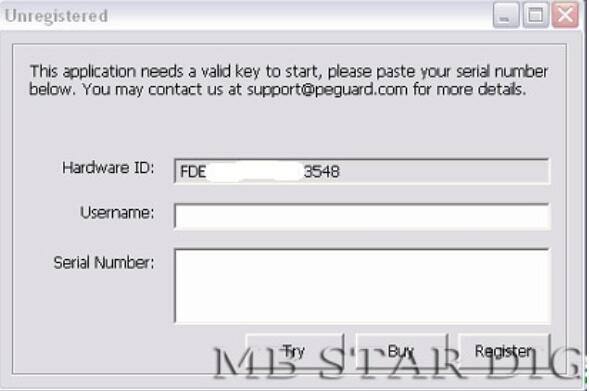
1. MB Star software need to be activated! if you don’t know how to activate,  please send teamviewer ID & password!

mb-star-c4-error-1

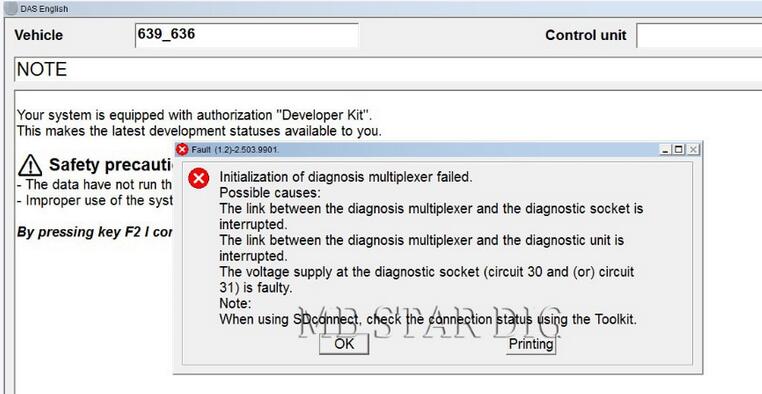
2. Das need to be activated! Please send teamviewer ID and passwords with photo of HDD to us!

mb-star-c4-error-2

3. Normal error! please make sure device connect well! IP setting correctly! choose the right car model. or maybe not support your cars. if did all in a right way, error shows the same, please attach us picture and run teamviewer for us.

mb-star-c4-error-3

4. Need connect devices to car then can enter DTS! if not connect to car then appear this error!

mb-star-c4-error-4

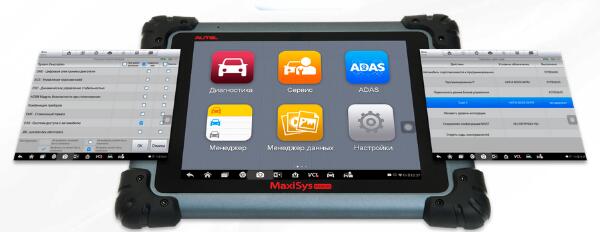
MaxiSys MS908S Pro Russian Version

autel-MS908SP-8

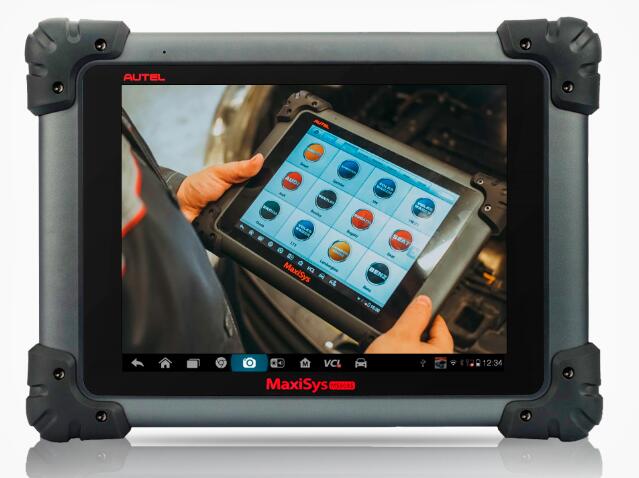
One of the Maxisys series devices, the MS908S Pro Diagnostic Platform bases on the revolutionary Android multitasking operating system, utilizes the powerful Cortex A7+A15 six-core processor, and equips with 9.7-inch LED capacitive touch screen. Supporting J2534 ECU Programming Device is capable of replacing the existing software/firmware in the Electronic Control Units (ECU), programming new ECUs and fixing software-controlled drivability issues and emission issues. MS908S Pro is an ideal tool for a truly trouble-free diagnosis of a maintenance plant by quickly, efficiently and effectively diagnosing automotive faults, managing customer data, and standardizing business processes.

autel-MS908SP-9

Extraordinarily powerful Cortex A7+A15 six-core processor
9.7” 1024×768 LED-backlit glossy Multi-Touch capacitive display with IPS technology
Internal reliable 64GB On-board Memory for better performance
Built-in 8-megapixel rear camera with autofocus and flashlight
The VCI connects to the main unit wirelessly with up to 70 meters working range
802.11 a/b/g/n/ac Wi-Fi to access your favorite web resources
Unique ergonomic design with rubberized outer protection and a rugged internal housing
Open source Android Operating System for fast boot-up and multitasking
Extensive vehicle coverage for more than 80 US, Asian and European vehicle makes
Exceptional OE-Level system coverage for all electronic systems
Complete capabilities for codes, live data, active test, ECU information, adaptation, matching, etc
Cloud-based Data Manager saves customer and vehicle records, scanner data and technician notes
Built-in rechargeable lithium-polymer battery for up to 7.5 hours of continuous operation
Equip with J2534 ECU Programming Device for replacing the existing software/firmware in the Electronic Control Units (ECU), programming new ECUs and fixing software-controlled drivability issues and emission issues

Does Autel MaxiSys Pro MS908SP Suit You?
This diagnostic device is mainly for professionals, those with Garage or Auto Repairing Shops.
It wouldn’t suit you if you are a single car owner. The design is meant to serve many people.
If you are an owner of a garage or car shop Autel Professional OBD2 MS908P, it could be of great help to you in getting things done fast.

Is It Worth Buying Then?
Autel Maxisys Pro MS908P on OBD2TOOL is an all-around and powerful tool that I would definitely recommend to any professional mechanics in the auto-repairing business.
It can a long way in easing up and increasing efficiency in your engine diagnostics from all the features mentioned. The returns are a guarantee.

Original Autel Maxisys MS908SP MS908S PRO with MaxiFlash Elite J-2534 programming

Original Autel Maxisys MS908SP MS908S PRO with MaxiFlash Elite J-2534 programming
Difference between MS908SP and MS908P
1.Operating System:
MS908SP:AndroidTM 4.4.2, KitKat
MS908P :AndroidTM 4.0, Ice Cream Sandwich

2.Processor
MS908SP:Samsung Exynos Six-core Processor (1.3GHz Quad-core ARM Cortex-A7 + 1.7GHz Dual-core ARM Cortex-A15)
MS908P :Samsung Exynos Quad-Core Processor 1.4GHz

3.Memory
MS908SP:2GB RAM & 64GB On-board Memory
MS908P :2GB RAM & 32GB On-board Memory

4.Connectivity
MS908SP:Wi-Fi (802.11 a/b/g/n/ac)
                   USB: 2.0
                   BT v.2.1 + EDR
                   SD Card (Support up to 32GB)
                   HDMI
MS908P :Ethernet: RJ45 Ethernet Connection,
                 Cellular: 3G/4G
                 module: WCDMA
https://www.obd2tool.com/goods-4525-Autel+MaxiSys+Pro+Scan+Tool+with+WIFI.html
Contact us:sales@obd2tool.com

Autel MaxiSYS MS908CV Display

Autel MaxiSYS MS908CV Display
Autel MaxiSYS CV MS908cv Heavy Duty Diagnostic Scan Tool Full Configuration with all Adapters
https://www.obd2tool.com/goods-5289-Autel+MaxiSYS+MS908CV+Heavy+Duty+Diagnostic+Scan+Tool.html
Contact us:sales@obd2tool.com