Car diagnostic tools information by obd2tool

Welcome to my blog,here some auto diagnostic tools will be displayed. If you want to know more information,you can visit our official website: www.obd2tool.com.

Car diagnostic tools information by obd2tool

Welcome to my blog,here some auto diagnostic tools will be displayed. If you want to know more information,you can visit our official website: www.obd2tool.com.

Customer feedback about LAUNCH ICARSCAN OBD2 CODE READER

I just played around with LAUNCH ICARSCAN for the last hour testing various functionality. I installed it for iOS and had zero issues. I used the QR code to download the first application (EZdiag), input myserial number & activation code from the paper slip, selected my “8 pieces of free software”, then went to full system scan and selected Porsche and it downloaded a second application called “US&Euro car”. The second app launches automatically when you’re ready to scan a vehicle.

主图3

As far as functionality, I was able to read and communicate with all of the major modules with no problems. I played around with viewing various real time values and scanning the modules for errors (had a handful of meaningless errors). There are very minimal coding options available on the ICARSCAN , but there are a few. I think once upon a time someone was asking about headlight programming. There is an option to code a ballast as “left”, “right”, or “new control unit” as well as calibrate them. Not sure how any of it works, but it’s there.

I also have the iCarSoft i960 so can provide a brief comparison with that. Both units read real time values from the various modules just fine. There’s too many to compare to know if one reads more than the other. The i960 does not provide the Porsche specific error codes on the various modules. The i960 also can not reset the service interval, whereas LAUNCH ICARSCAN resets the service interval like a champ. The i960 is self contained and a little quicker to get going (no BT pairing), while the icarscan obd2 code reader feels a little snappier changing menus. The big bonus is the X431 works on many more vehicles.

http://forobd2tool.com/blog/2017/08/04/customer-feedback-about-launch-icarscan-obd2-code-reader/

How to: OBDSTAR X300M reset Mercedes Benz odometer Via OBD?

Exciting news!!!

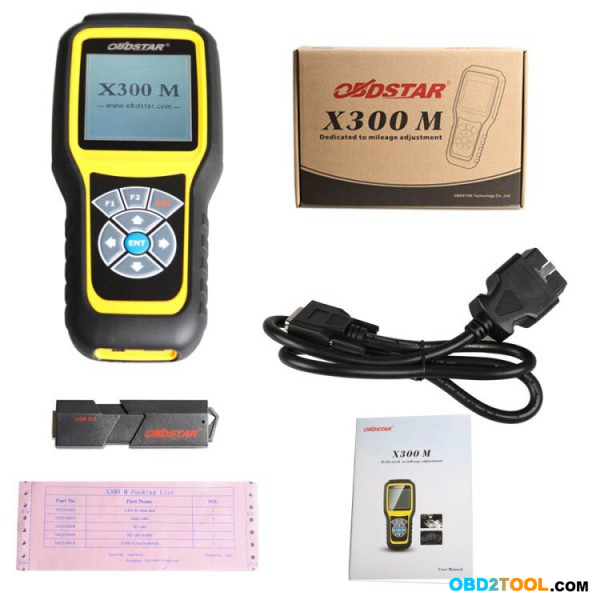
OBDSTAR X300M on OBD2TOOL is tested working to reset odometer on many Mercedes Benz models via OBD. It is a 100% truth, it’s already tested by OBDSTAR qualified engineers, no lies.
1.K line odometer reset Model(M2) for AUDI/VW/SKODA/SEAT are added.
2.VW Golf 7 models are added.
3.Chassis W169 for BENZ A serial by OBD are added.
4.Chassis W245 for BENZ B serial by OBD are added.
5.Chassis W204 for BENZ C serial by OBD are added.
6.Chassis W209 for BENZ CLK serial by OBD are added.
7.Chassis W207(E-COUPE) for BENZ CLK serial by OBD are added.
8.Chassis W218 for BENZ CLS serial by OBD are added.
9.Chassis W212 for BENZ E serial by OBD are added.
10.Chassis X204 for BENZ GLK serial by OBD are added.
11.Chassis R197 for BENZ SLC serial by OBD are added.

http://forobd2tool.com/wp-content/uploads/2017/07/1/8-0.jpg

Have OBDSTAR X300 M? Now update it to have Benz models by following instruction:

Step 1: Remove the TF card from your device.
Insert your TF card into computer.
Format your TF card and ensure it is empty.
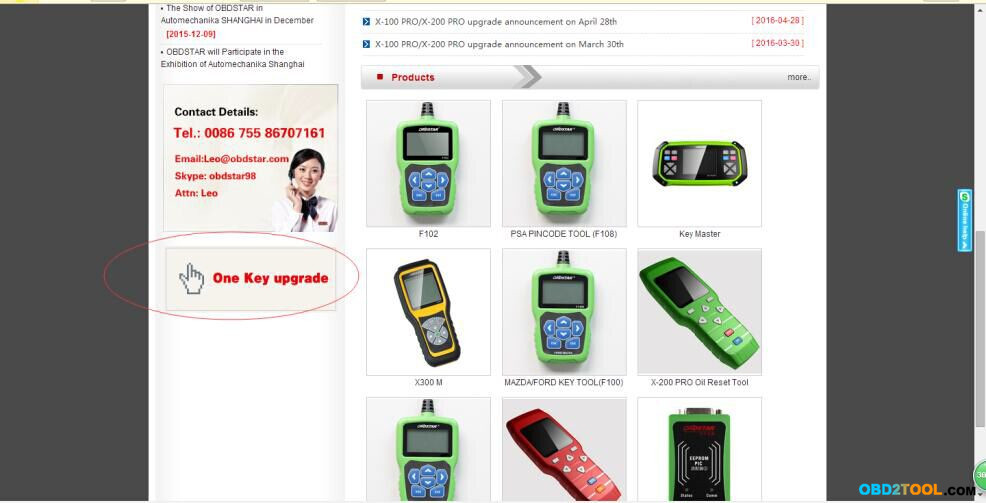
Step 2: Login our website,and click “One Key upgrade”
http://forobd2tool.com/wp-content/uploads/2017/07/1/8-1.jpg

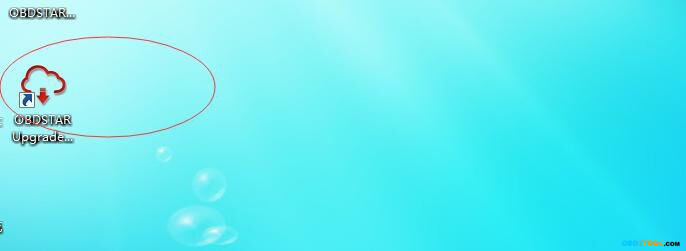
Step3: Download and install the “One Key upgrade”. You will see this software.

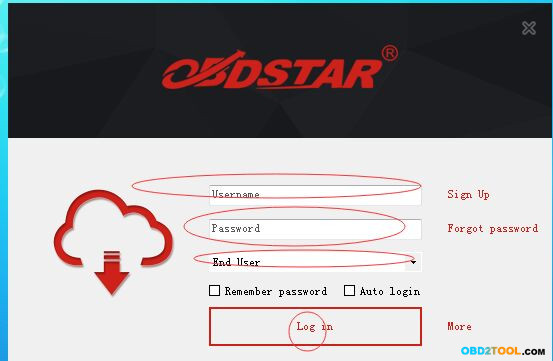
Step4: Open the “one key upgrade”. Input your username and password. Then select “End User” and click “Log in”.
http://forobd2tool.com/wp-content/uploads/2017/07/1/8-3.jpg
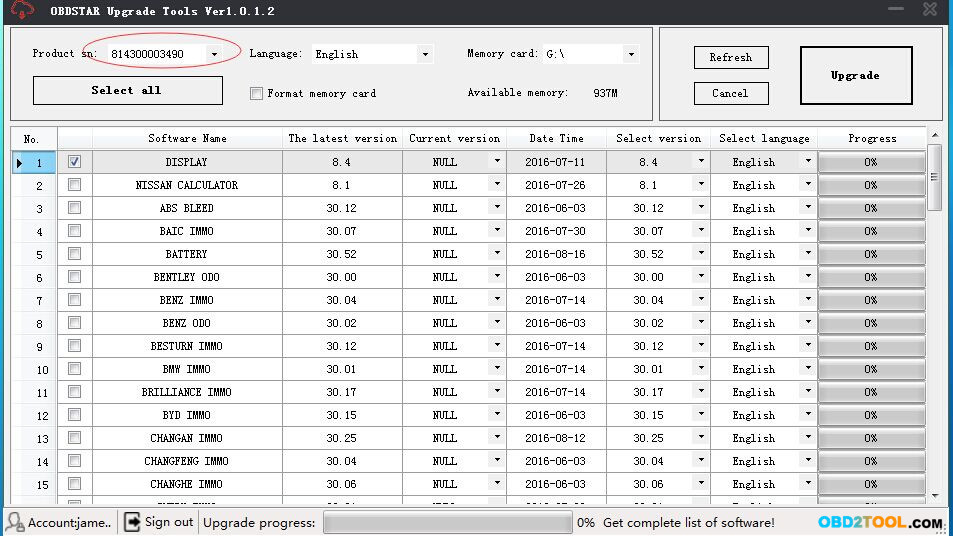
Step5: Input your S/N.
http://forobd2tool.com/wp-content/uploads/2017/07/1/8-4.jpg
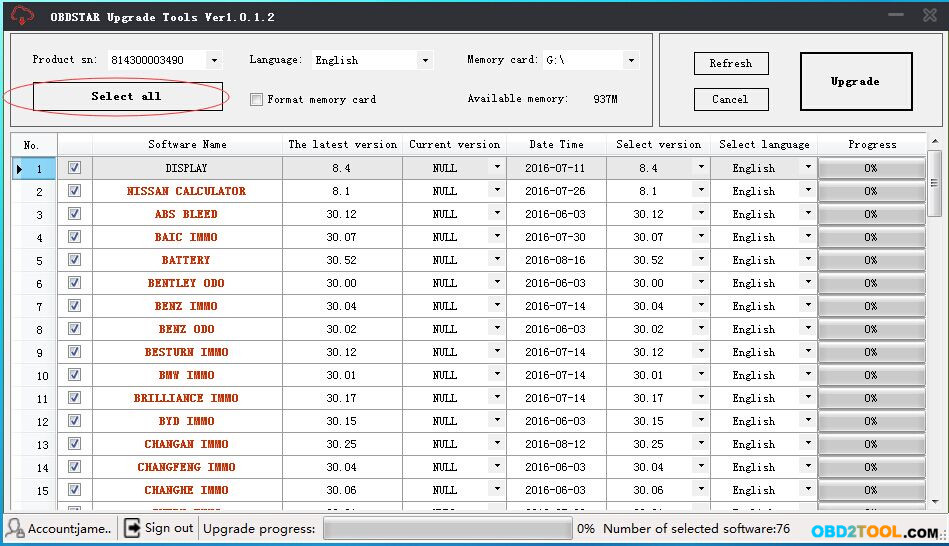
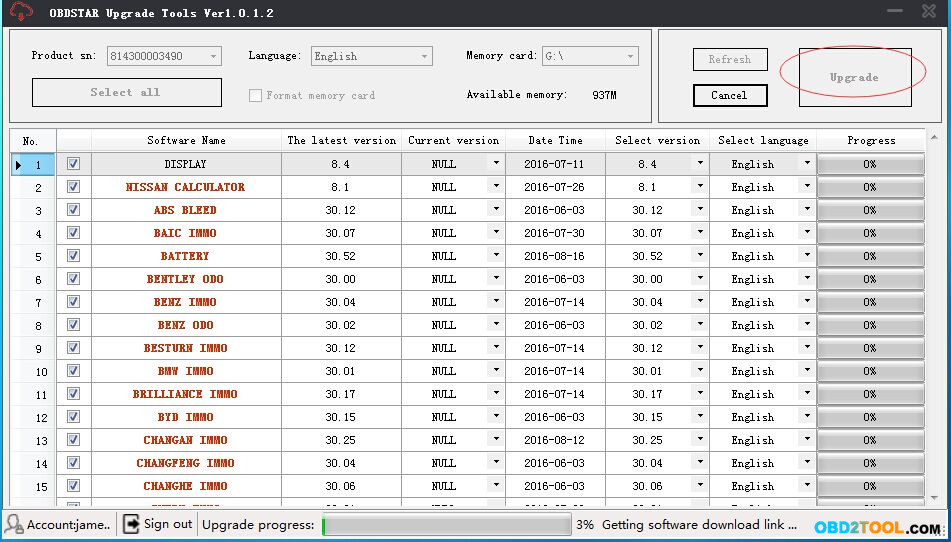
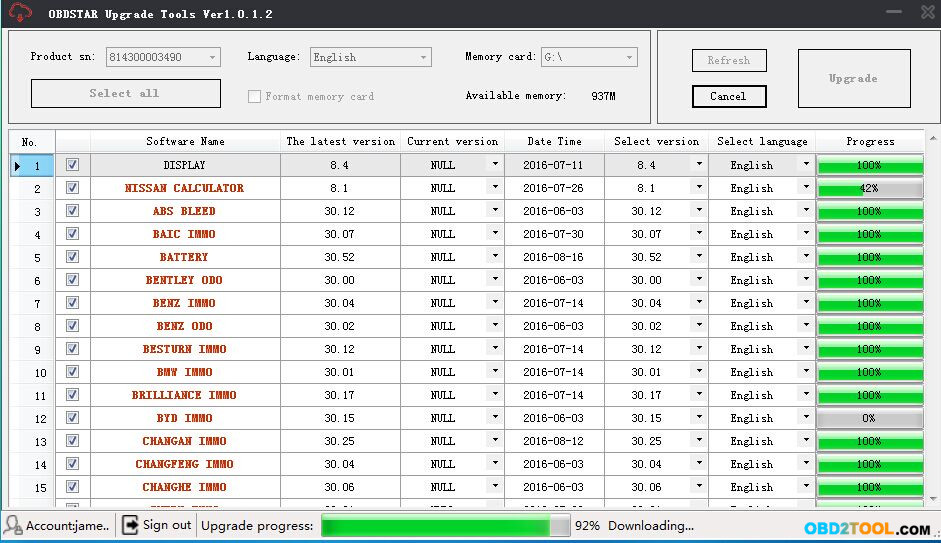
Step6: Select all and click “Upgrade”.
http://forobd2tool.com/wp-content/uploads/2017/07/1/8-5.jpg
http://forobd2tool.com/wp-content/uploads/2017/07/1/8-6.jpg

http://forobd2tool.com/wp-content/uploads/2017/07/1/8-7.jpg
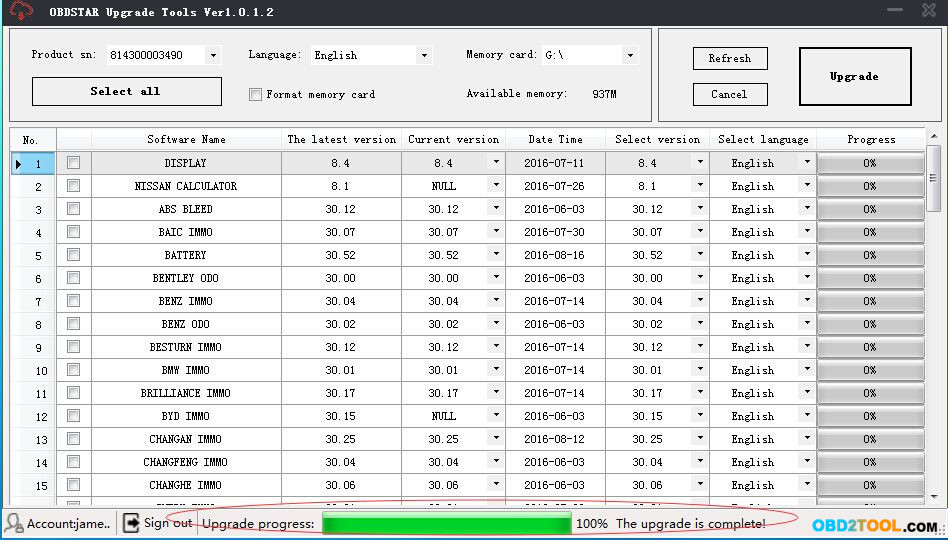
Step7: Upgrade is completed.
http://forobd2tool.com/wp-content/uploads/2017/07/1/8-8.jpg

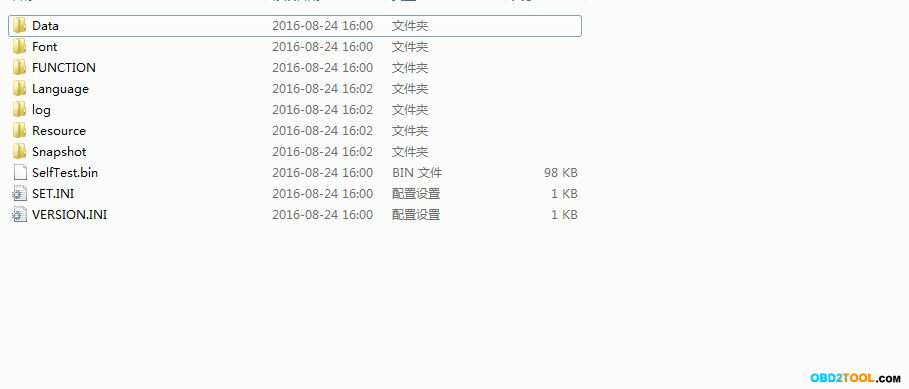
Step8: Open your TF card. You will see these files.
http://forobd2tool.com/wp-content/uploads/2017/07/1/8-9.jpg

Step9: Remove the TF card from the computer. Insert your TF card into the device.

Done.

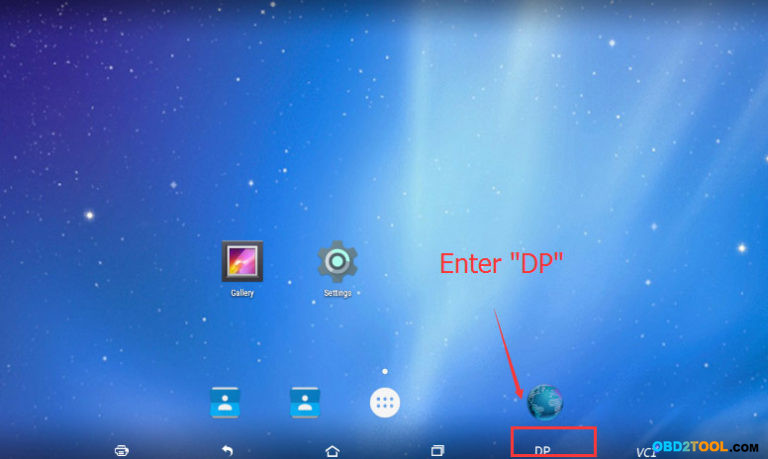
Have OBDSTAR X300 PRO3 and X300 DP?  you can also update to have Benz models.
X300 PRO3 key master standard package
OBDSTAR X300 PRO3 key master full package
OBDSTAR X300 DP Full Package
OBDSTAR X300 DP standard Package

http://forobd2tool.com/wp-content/uploads/2017/07/1/8-10.png

Here X300DP update instruction:

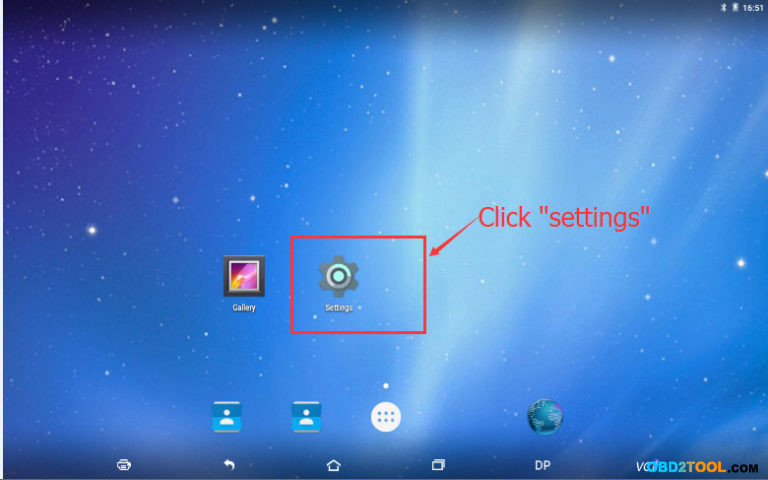
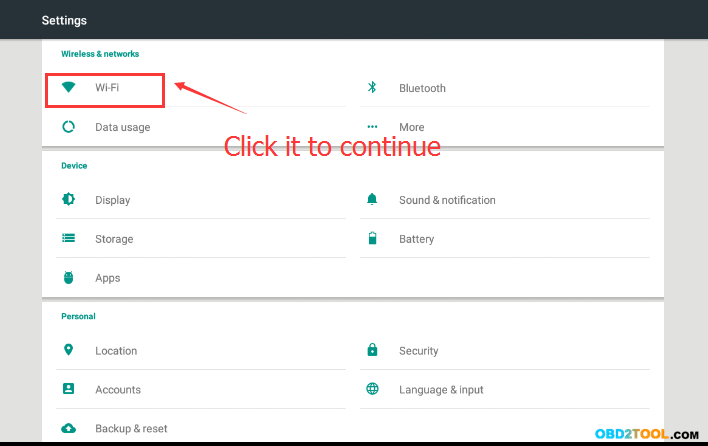
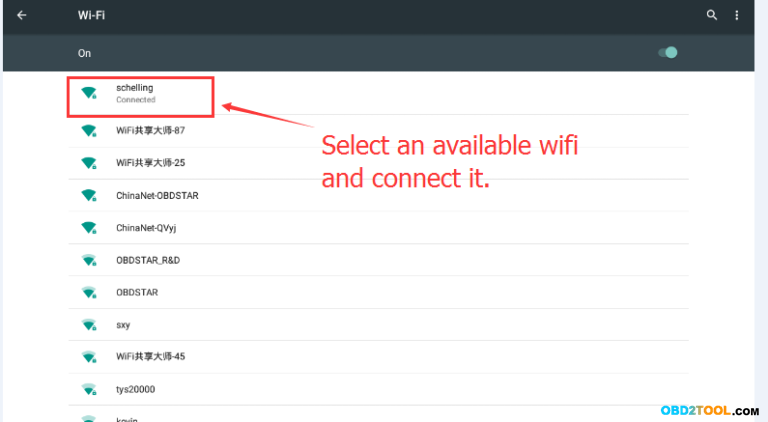
Step1. Connect WIFI as follows

http://forobd2tool.com/wp-content/uploads/2017/07/1/8-11.jpg
http://forobd2tool.com/wp-content/uploads/2017/07/1/8-12.png

http://forobd2tool.com/wp-content/uploads/2017/07/1/8-13.png
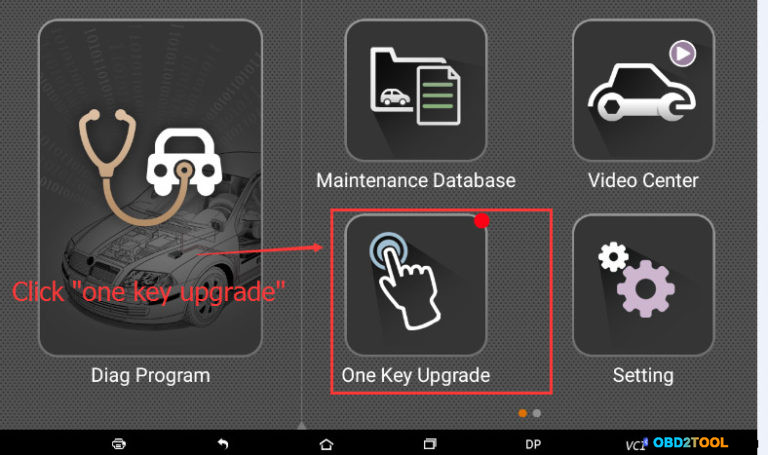
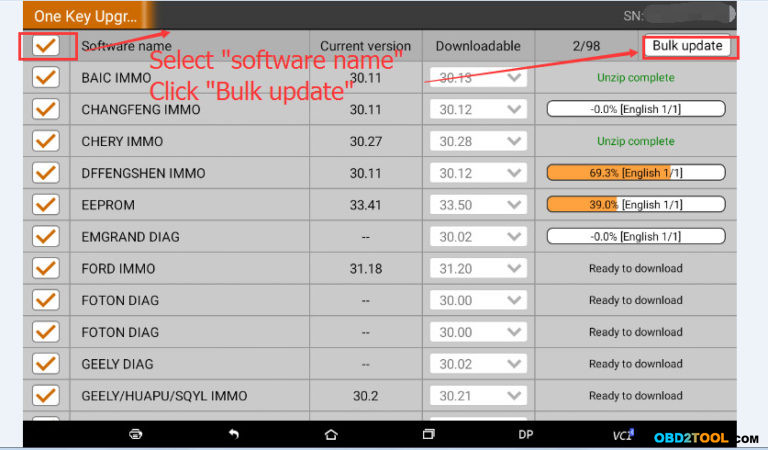
Step 2. Begin to update your device

http://forobd2tool.com/wp-content/uploads/2017/07/1/8-14.jpg

http://forobd2tool.com/wp-content/uploads/2017/07/1/8-15.jpg

The update will be finished once all the vehicles have been 100% updated.

http://forobd2tool.com/wp-content/uploads/2017/07/1/8-16.jpg


http://cheapobd2tool.com/2017/07/25/how-to-obdstar-x300m-reset-mercedes-benz-odometer-via-obd/

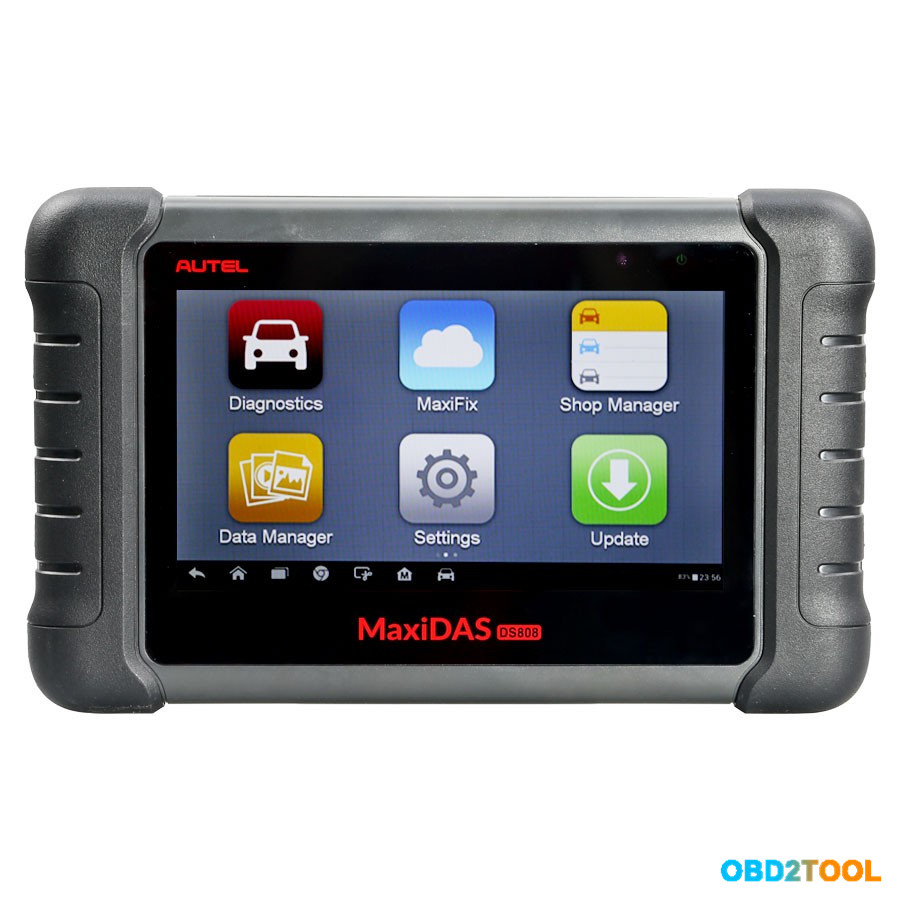
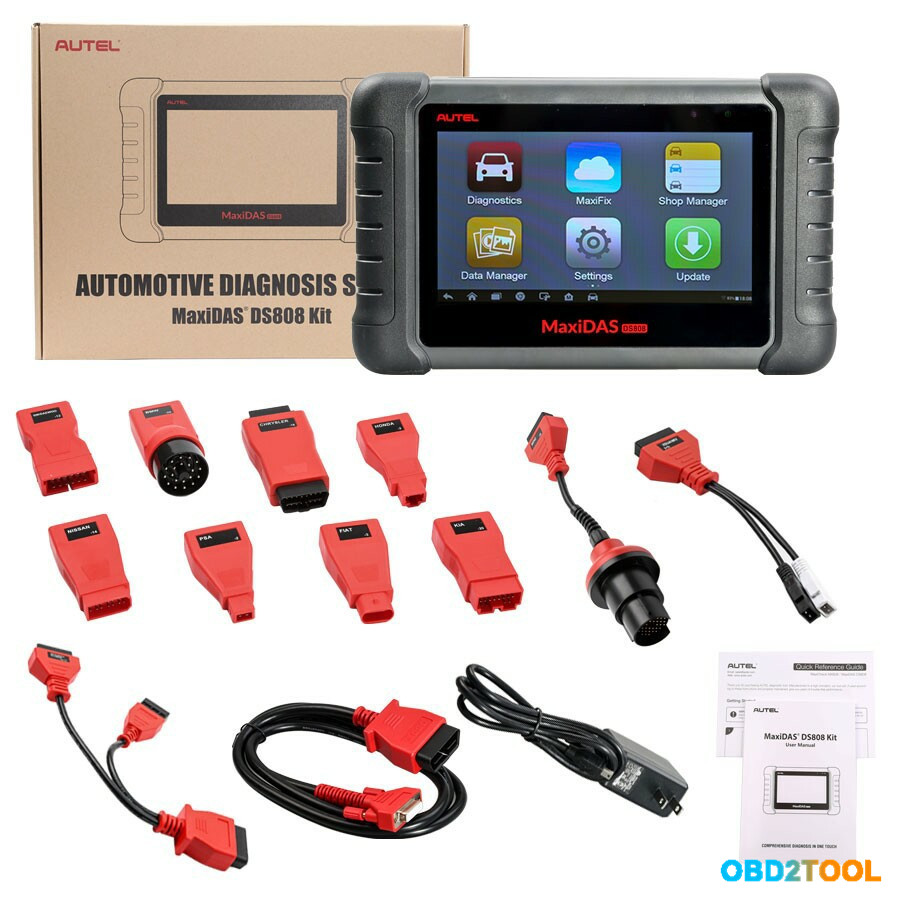
2017 New Arrival Autel MaxiDAS DS808

2017 New Arrival AUTEL MaxiDAS DS808 key coding Auto Diangostic Tool Perfect Replacement of Autel DS708 Scanner Handheld Touch Screen Autel Diagnostic Tools Free Update Online same function as MS906

http://www.obd2tool.com/goods-6882-AUTEL+MaxiDAS+DS808+Kit+Android+Tablet+Diagnostic+Tool.html
http://forobd2tool.com/wp-content/uploads/2017/07/5/1-2.jpg

AUTEL MaxiDAS DS808 full set VS MaxiDAS DS808:
The only difference: DS808 is full set, MaxiDAS DS808 is standard set. Please confirm by checking their packge list.
Same: same functions and same MUX specification

MaxiDAS DS808 (With Conkit) Features:
Extensive vehicle coverage for more than 80 US, Asian and European vehicle makes
Exceptional OE-Level system coverage for all electronic systems
Complete capabilities for codes, live data, active test, ECU information, adaptation, matching, etc.
Smart AutoVIN technology for identifying vehicles easily
Automatic system and software updates with real-time push message notifications via Wi-Fi
Instant remote control tech support anytime, anywhere
Cloud-based MaxiFix online community provides a vast database of diagnostic and repair tips and proven filed fixes
Interactive Data Logging sessions enable direct contact with Autel Technical Support for first-hand troubleshooting of diagnostic bugs and errors
One-stop multitasking designed for ideal management of workshop operations to keep all data files, customer info, and vehicle records well organized
Convenient data management system for managing internal program applications and reviewing data

Note: There are two options available when accessing the Diagnosis section:

1. Auto Scan – starts auto scanning for all the available systems on the vehicle.
2. Control Units – displays a selection menu of all available control units of the test vehicle.

After a section is selected and the Autel Scanner establishes communication with the vehicle, the corresponding function menu or selection menu displays.

Supported Automotive Protocols:
ISO9141-2, ISO14230-2,ISO15765, K/L-Line, Flashing Code, SAE-J1850 VPW, SAE-J1850 PWM, ISO11898(Highspeed, Middlespeed, Lowspeed and Singlewire CAN, fault-tolerant CAN), SAE J2610,GM UART,UART Echo Byte Protocol, Honda Diag-H Protocol, TP2.0, TP1.6

How to update Autel DS808 (With Conkit) software:
1. Make sure the Display Tablet is connected to a power source with stable access to the internet.
2. Tap the Update application button from the MaxiDAS Job Menu;
or tap the update notification message when received one;
or tap the Update icon on Vehicle Menu in Diagnostics application.
The Update application screen displays.
3. Check all available updates:
If you decide to update all the items, tap the Update All button.
If you only want to update one or some of the item(s), tap the Update button on the right column of the specific item(s).
4. Tap the Pause button to suspend the updating process. When you tap Continue to renew the update, the updating process will resume
from the break point.
5. When the updating process is completed, the firmware will be installed automatically. The previous version will be replaced.

MaxiDAS DS808 (With Conkit) Specifications:
Operating System:Android? 4.4.4
Processor:Cortex-A9 processor (1.5 GHz)
Memory :32GB
Display:7-inch LCD capacitive touchscreen with 1024×600 resolution
Connectivity:? Mini USB 2.0 ? USB 2.0 ? Wi-Fi ? Micro SD card (supports up to 32GB)
Sensors:Ambient light sensor for brightness auto changing
Audio Input/Output:? Input: N/A ? Output: buzzer
Power and Battery:? 3.7 V/3200 mAh lithium-polymer battery ? Charges via 5 VDC power supply
Tested Battery Life:Around 4.5 hours of continuous use
Battery Charging Input:5 V/1.5 A
Power Consumption:500 mA (LCD on with default brightness, Wi-Fi on) @3.7 V
Operating Temp:-10 to 60°C(14 to 140°F)
Storage Temp:-20 to 70°C (-4 to 158°F)
Operating Humidity:5% – 95% non-condensing
Dimensions (W x H x D):237.8 mm (9.4”) x 148.6 mm (5.9”) x 35.5 mm (1.4”)
Net Weight:788 g (2.42 lb.)

Package Includes:
1pc x USB External
1pc x Power Adapter
1pc x USB External Power AdapterUser
1pc x ManualQuick reference guide
1pc x Main cable
1pc x Mini USB Cable
1pc x User Manual
1pc x Quick Guide
1pc x Benz-14
1pc x Chrysler-16
1pc x BMW-20
1pc x Kia-20
1pc x Nissan-14
1pc x GM/Daewoo-12
1pc x Honda-3
1pc x VW/AUDI-2+2
1pc x Mitsubishi/Hyundai-12+16
1pc x Benz-38
1pc x PSA-2
1pc x Fiat-3

1-1

Basic information comparison table among Autel Ds708 scanner, Autel MaxiSYS MS906, Autel DS808 standard package and Autel DS808 full package.
http://forobd2tool.com/wp-content/uploads/2017/07/5/1-1.jpg

http://cheapobd2.com/2017/07/03/2017-new-arrival-autel-maxidas-ds808/
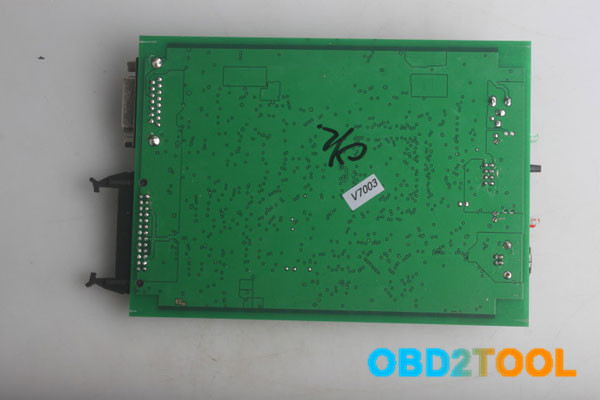
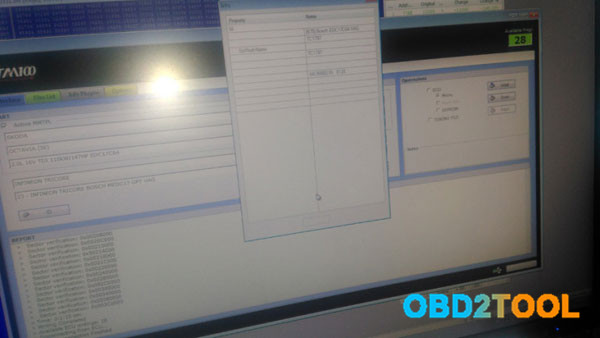
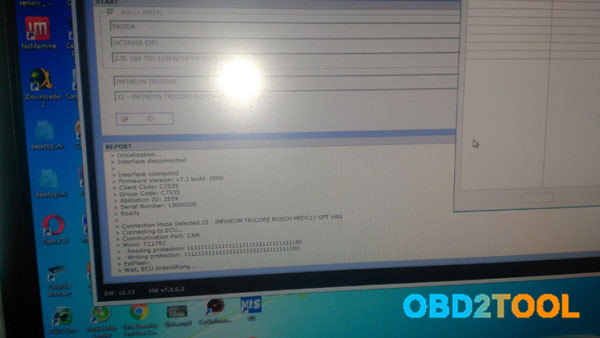
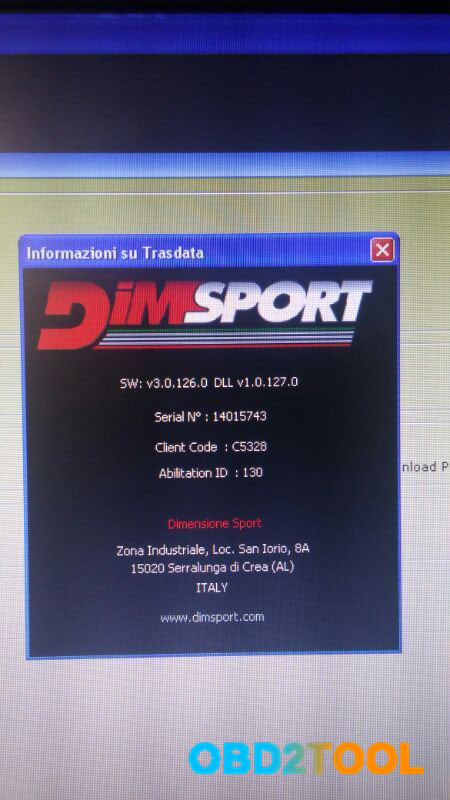
Ktag KTM100 V7.003 work as Original Trasdata

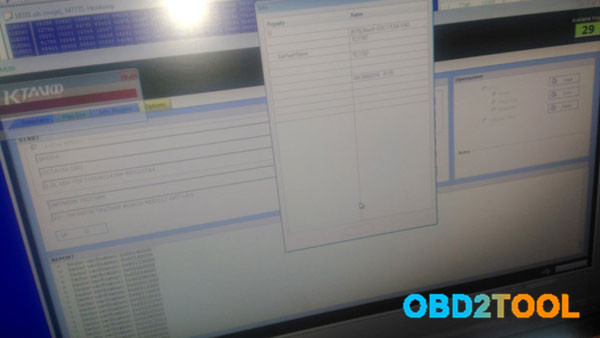
Is it possible to read edc17c64 with ktm100? Here is the test report of an Ktag expert.

And this is the post with the most likes:
“I made for my friend remap of skoda octavia 3 rs tdi. he bought ECU Scanners Ktag ktm100, the vendor send me dump, i made remap without doi decalibration and lambda for 1100 after 1000mg of air. car is running and starting without problem. i start writing here to know how upgrade to fake firmware v7.003. I think in clone Trasdata is allowed protocols menu with edc17c64 and edc17c66 if firmware = 7.003. with trasdata menu to confirmation then there is true and china ktm100 can do edc17c64 !!!”

Ordered KTM100 firmware v7.003 from obd36.com and received it last weekend.
ktm100 china is in fact trasdata i think…
Also it’s kind of the same as Ktag v6.070.
But this Ktag does not support BMW F chassis petrol and Mercedes-Benz W222
Only possible after fw 7.020 and ksuite 2.22 frm obd2tool.com

ktm100 can do edc17c64 gpt!!! (And no possible 2l tdi 184 edc17 c64 wi)
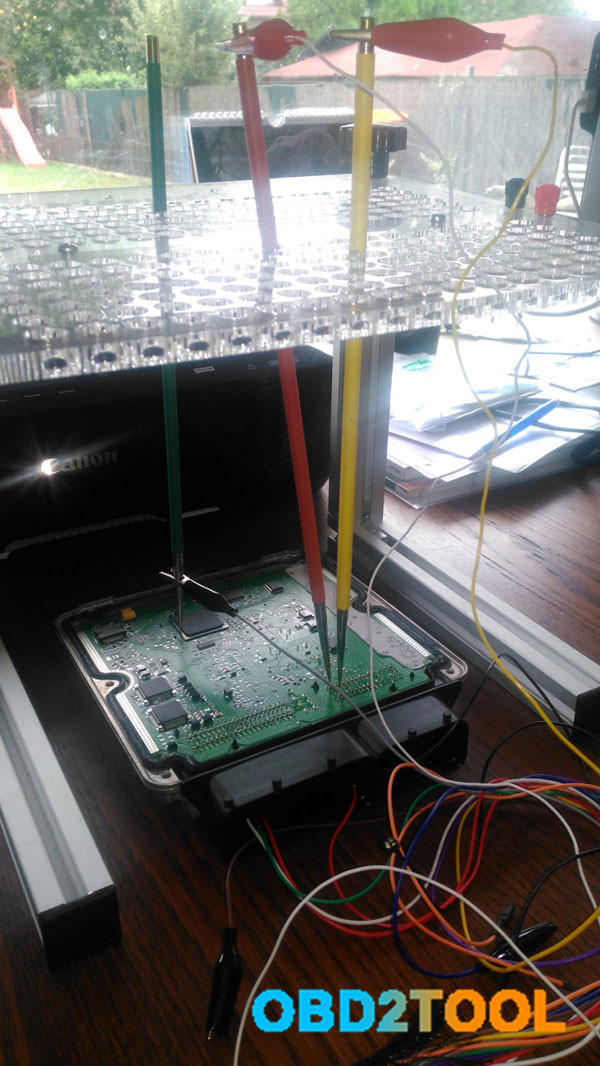
this is my photo of edc17c64 with china no reworked ktm100 done.

http://forobd2tool.com/wp-content/uploads/2017/06/21/3-0.jpg
http://forobd2tool.com/wp-content/uploads/2017/06/21/3-00.jpg

3-1

http://forobd2tool.com/wp-content/uploads/2017/06/21/3-1.jpg

http://forobd2tool.com/wp-content/uploads/2017/06/21/3-3.jpg

http://forobd2tool.com/wp-content/uploads/2017/06/21/3-4.jpg

http://forobd2tool.com/wp-content/uploads/2017/06/21/3-5.jpg
http://forobd2tool.com/wp-content/uploads/2017/06/21/3-6.jpg

http://forobd2tool.com/wp-content/uploads/2017/06/21/3-7.jpg

These new ecus i have tested:
BMW 520d F10 EDC17C41 DDE8

Volvo edc17cp48 GPT
Mercedes CLA 217 1.6turbo MED17.7.3 GPT
Honda Edc17 GPT (dont remember exact model)

All seems to work AS ORIGINAL. Toyota Denso included also! And Yes, same as others say, KTAG master KTM100 V2.23 Firmware V7.020 is FAKE Trasdata. 100% same tool, same software, same car list, same protocols, just different name. . ktag will not work with ktm100… only if you will apply one patch for this and change .ept…and will be trasdata.
http://obd2trade.com/2017/06/19/httpcheapobd2scanner-com20170619ktag-v7-020-and-ktag-ktm100-v7-003-comparison/

How to quick fix MB Star C4 Xentry “No more updates” error?

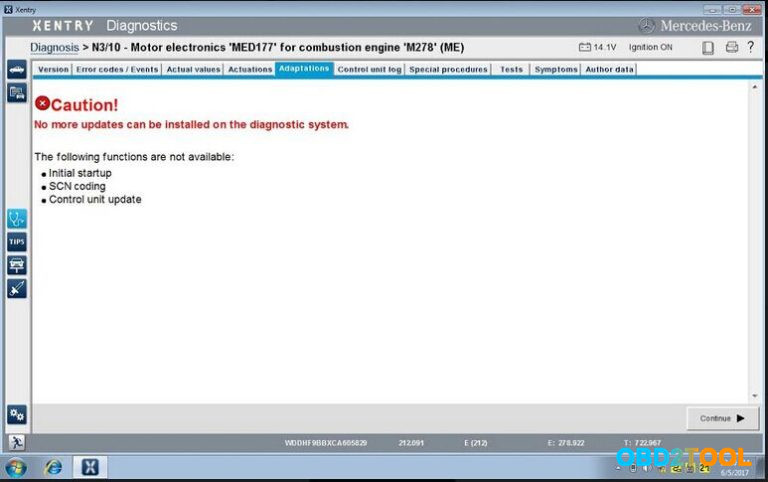
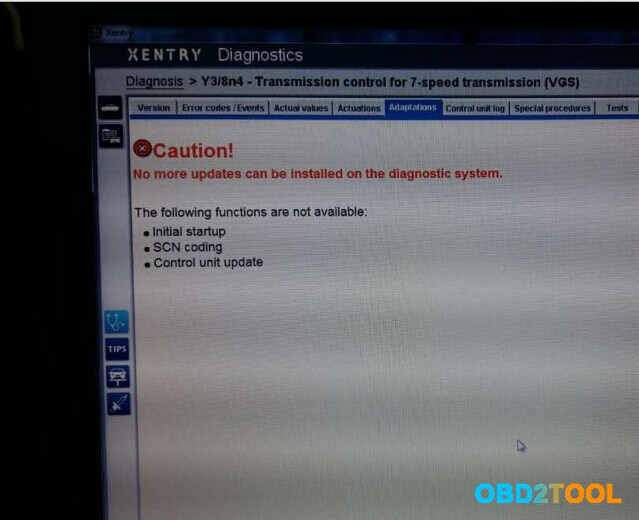
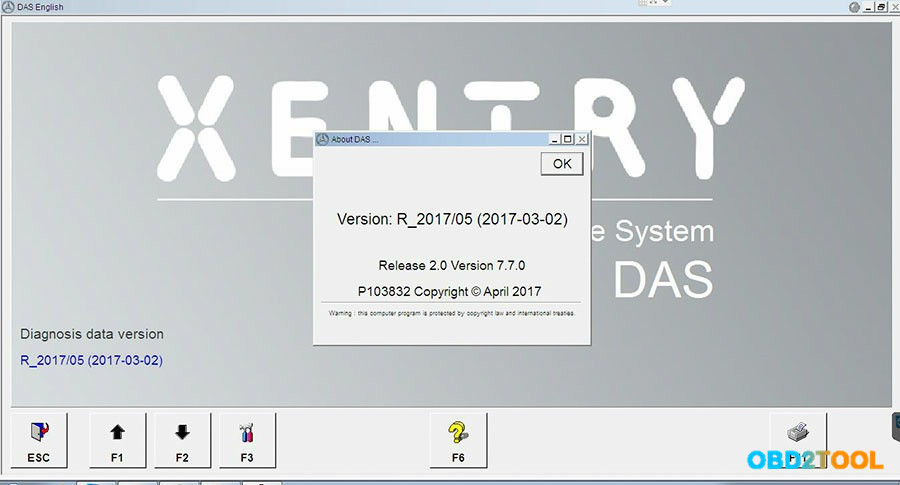
When run 05.2017 MB Star C4 Xentry or other previous versions, the error show “No more updates can be installed on the diagnostic system.”.

What’s the solution? Check below quick fix method!

Mercedes Xentry error when Mercedes MED177 M278 engine for E550 4matic 2012

Xentry error message

The following functions are not available:

Initial setup

SCN coding

Control unit update

http://forobd2tool.com/wp-content/uploads/2017/06/9-1.jpg

Same error also show when Benz diagnostic tool Xentry program Mercedes 7G tronic transmission

http://forobd2tool.com/wp-content/uploads/2017/06/9-2.jpg

Quick fix method for MB Xentry error “No more updates”

(Tested and given by engineers)

Just download this new Kontexte file and replace the old one

https://mega.nz/#!wh5AxKqJ!VanGy5sXsiaiFG5AXZmJlTLrgXsByBuPDcsdMzIVwR8

The Kontexte file location should be:

C:\Program Files(x86)\ Mercedes-Benz \ Xentry \ Kontexte

And things done!

Now you can run Xenrty software and start again.

Some useful information:

2017.5 MB SD C4 software SSD WIN7 at obd2tool.com

2017.5 MB SD C4 software HDD WIN7

100% tested working stable with SD C4 Connect!

http://forobd2tool.com/wp-content/uploads/2017/06/9-3.jpg

http://chinaobdtool.net/2017/06/05/how-to-quick-fix-mb-star-c4-xentry-no-more-updates-error/