Car diagnostic tools information by obd2tool

Welcome to my blog,here some auto diagnostic tools will be displayed. If you want to know more information,you can visit our official website: www.obd2tool.com.

Car diagnostic tools information by obd2tool

Welcome to my blog,here some auto diagnostic tools will be displayed. If you want to know more information,you can visit our official website: www.obd2tool.com.

How-to’s of GM Tech2 Crankshaft Position Variation Learn

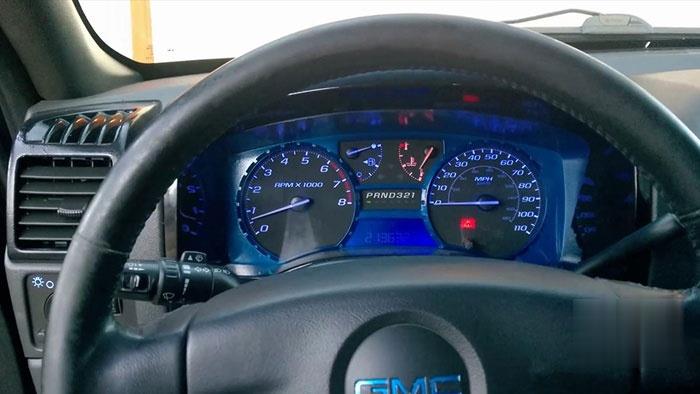
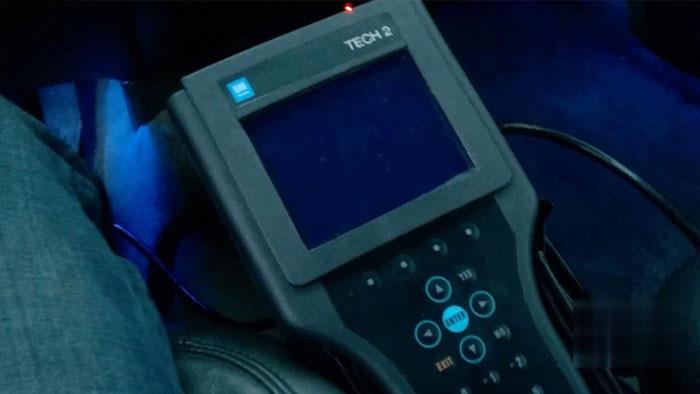
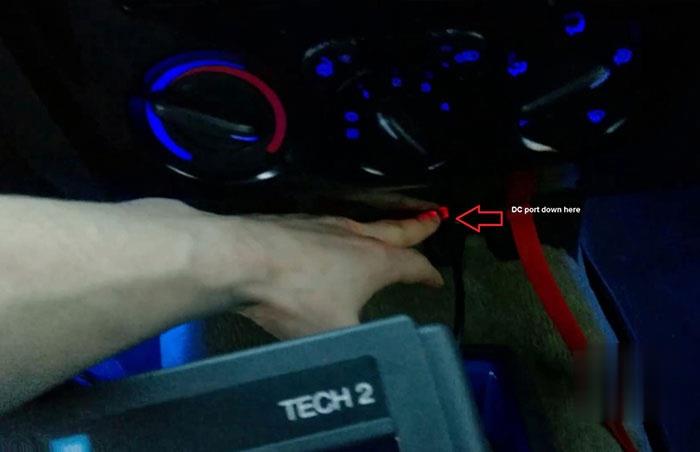
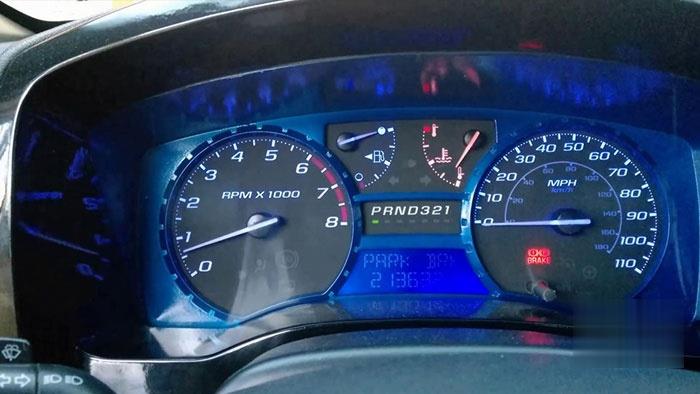
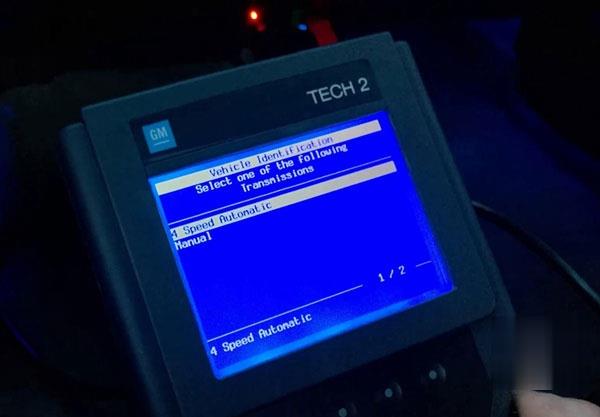
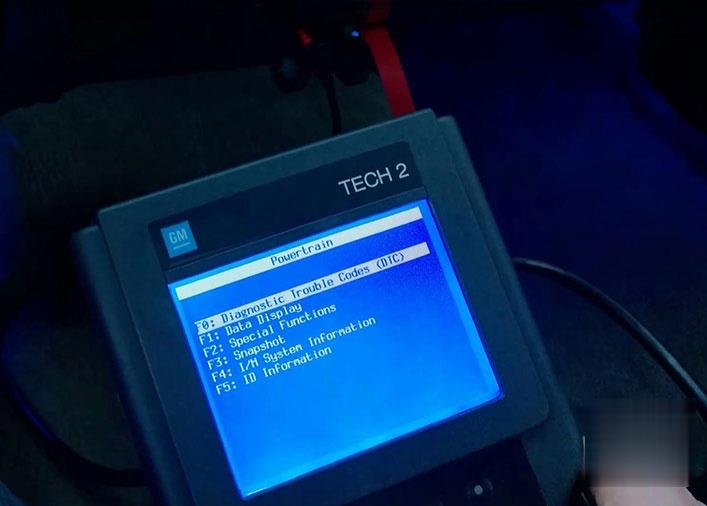
All right, today we’re going to be going through a crankshaft position relearn sequence on a Chevy Colorado or a GMC Canyon. My trucks of 2005 GMC Canyon with 3.5 liter, so the first thing we’re going to do today is to have our GM Tech 2 Scan Tool to setup here, we’re going to plug it into the DC port down here and we’re going to have the obd2 port hooked up down here. Once we have that all hooked up, first thing we’re gonna do is we wanna start our truck and you want to have it warmed up. You can see I’m about probably at 160 right now I think the bare minimum is about 155, so I’m just above the line of what we need to be.

tech2-2005-gmc-canyon-crankshaft-position-variation-learn-01 (2)

tech2-2005-gmc-canyon-crankshaft-position-variation-learn-02 (2)

tech2-2005-gmc-canyon-crankshaft-position-variation-learn-03 (2)

tech2-2005-gmc-canyon-crankshaft-position-variation-learn-04 (2)

tech2-2005-gmc-canyon-crankshaft-position-variation-learn-05 (2)

So we’re going to start it and then once we do that we will hit the power button down in the GM Tech2 scanner. It will run through its initialization sequence here.

tech2-2005-gmc-canyon-crankshaft-position-variation-learn-06 (2)

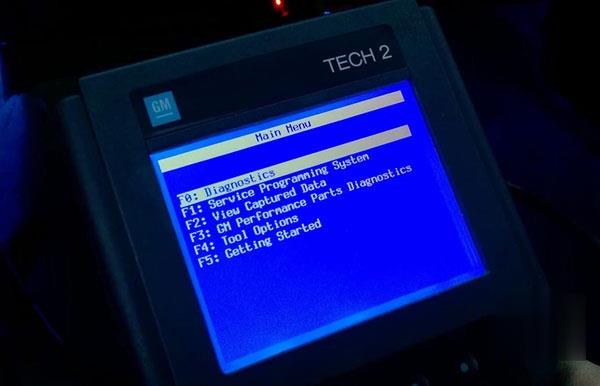
Go to “Diagnostics”.

tech2-2005-gmc-canyon-crankshaft-position-variation-learn-07 (2)

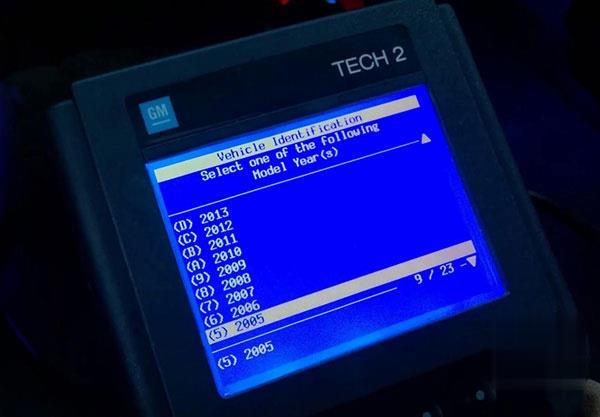
Select my year “2005”.

tech2-2005-gmc-canyon-crankshaft-position-variation-learn-08 (2)

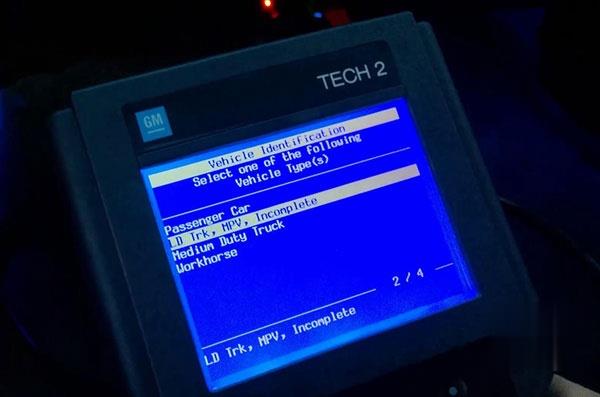
Select “LD Trk, MPV, Incomplete”.

tech2-2005-gmc-canyon-crankshaft-position-variation-learn-09 (2)

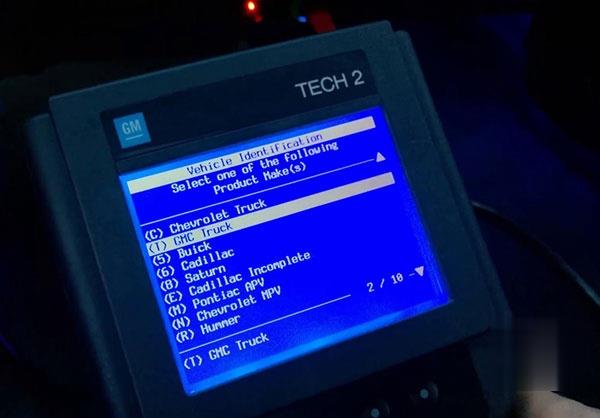
Enter “GMC Truck”.

tech2-2005-gmc-canyon-crankshaft-position-variation-learn-10 (2)

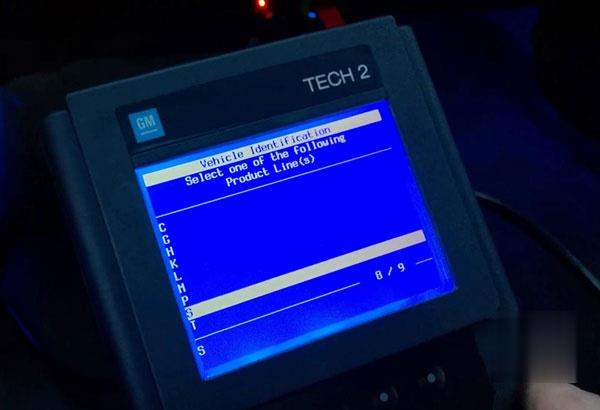
And the product line code for our trucks is a S. So if you have a Chevy Colorados can be the same thing, it’s going to be Chevy truck and then S.

tech2-2005-gmc-canyon-crankshaft-position-variation-learn-11 (2)

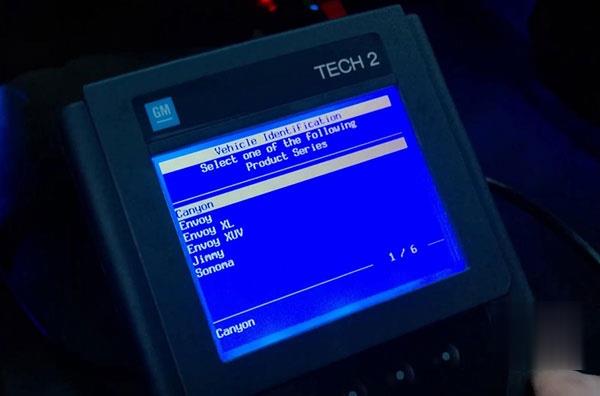
Canyon.

tech2-2005-gmc-canyon-crankshaft-position-variation-learn-12 (2)

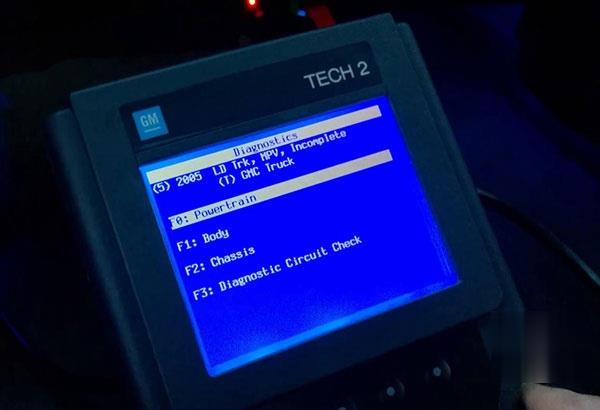
Going to “Powertrain”.

tech2-2005-gmc-canyon-crankshaft-position-variation-learn-13 (2)

3.5L L5 L52.

tech2-2005-gmc-canyon-crankshaft-position-variation-learn-14 (2)

Speed automatic.

tech2-2005-gmc-canyon-crankshaft-position-variation-learn-15 (2)

Special functions (We wanna go).

tech2-2005-gmc-canyon-crankshaft-position-variation-learn-16 (2)

Crankshaft Pos. Variation Learn.

tech2-2005-gmc-canyon-crankshaft-position-variation-learn-17 (2)

Continue.

tech2-2005-gmc-canyon-crankshaft-position-variation-learn-18 (2)

Continue.

tech2-2005-gmc-canyon-crankshaft-position-variation-learn-19 (2)

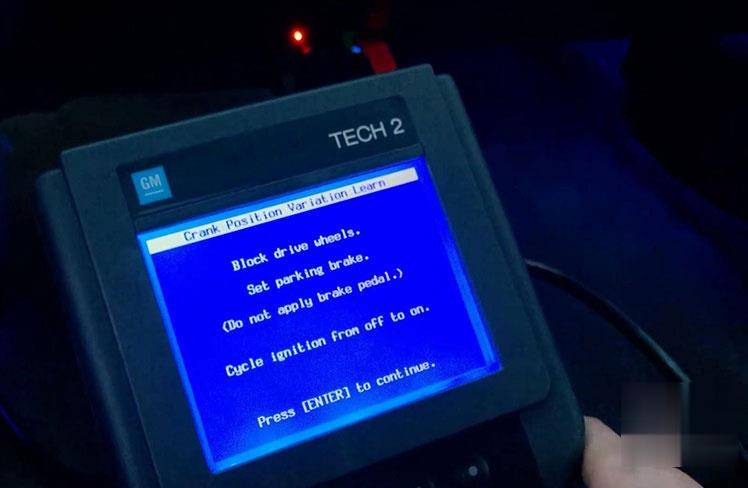
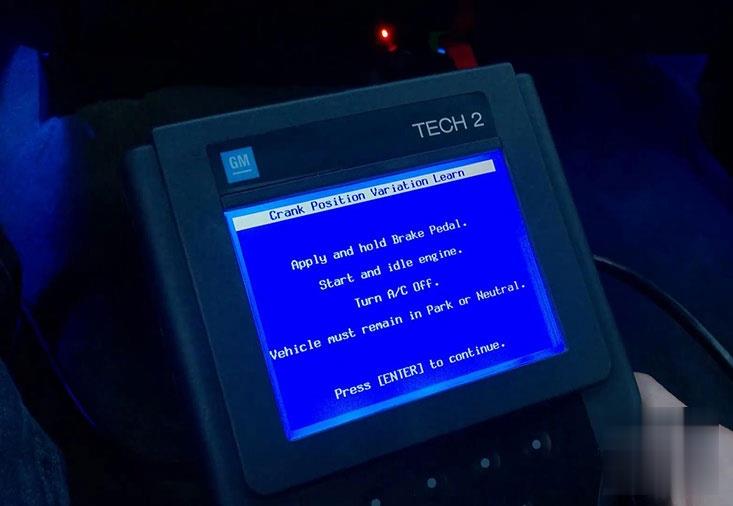
Make sure your parking brake set, it says “Do not apply brake pedal”. We’re going to click “Enter”. It says apply and hold brake pedal so I’m going to apply the brake pedal down there, turn your AC off and vehicle must remain in park or Neutral. Press Enter to continue.

tech2-2005-gmc-canyon-crankshaft-position-variation-learn-20 (2)

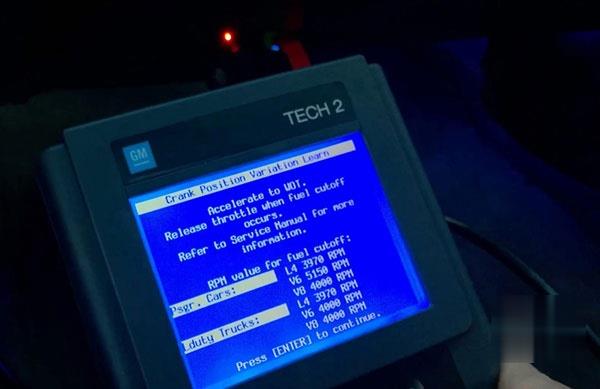
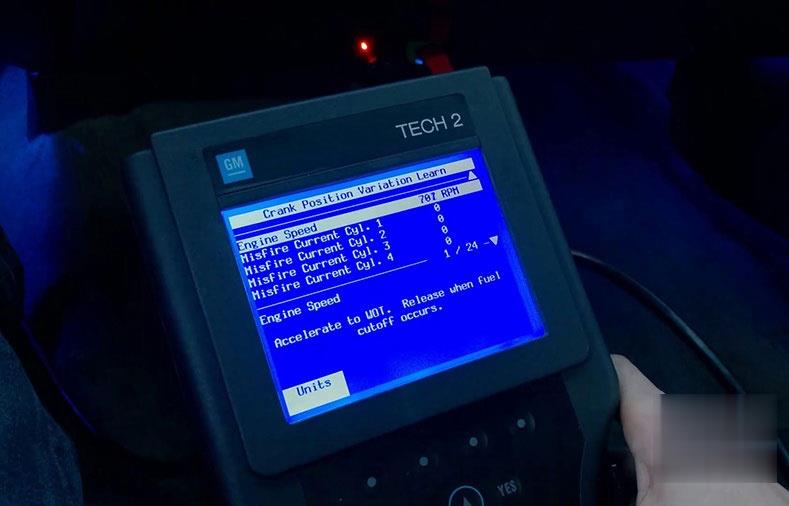
It says “Accelerate to WOT. Release when fuel cutoff occurs.

tech2-2005-gmc-canyon-crankshaft-position-variation-learn-21 (2)

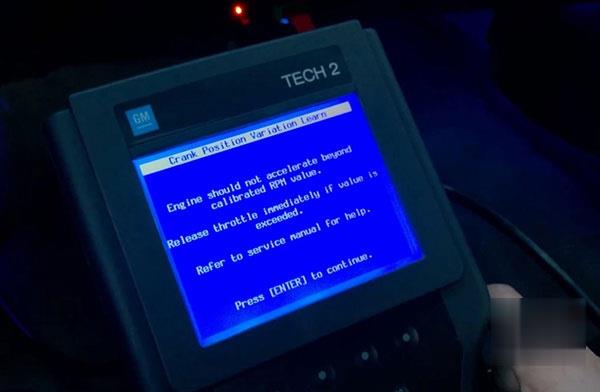
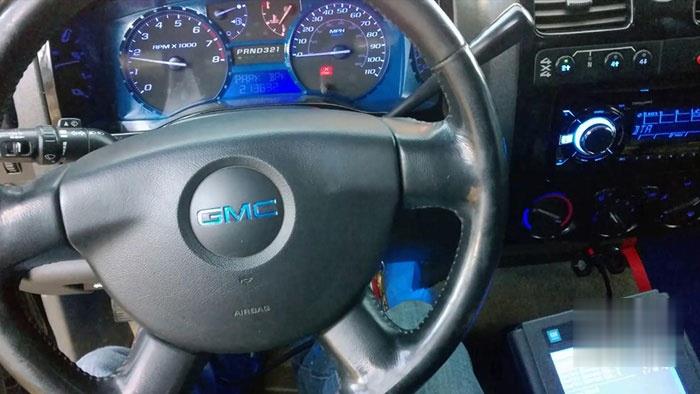
And try to get both screens here at the same time. You see it already shut me down.

tech2-2005-gmc-canyon-crankshaft-position-variation-learn-22 (2)

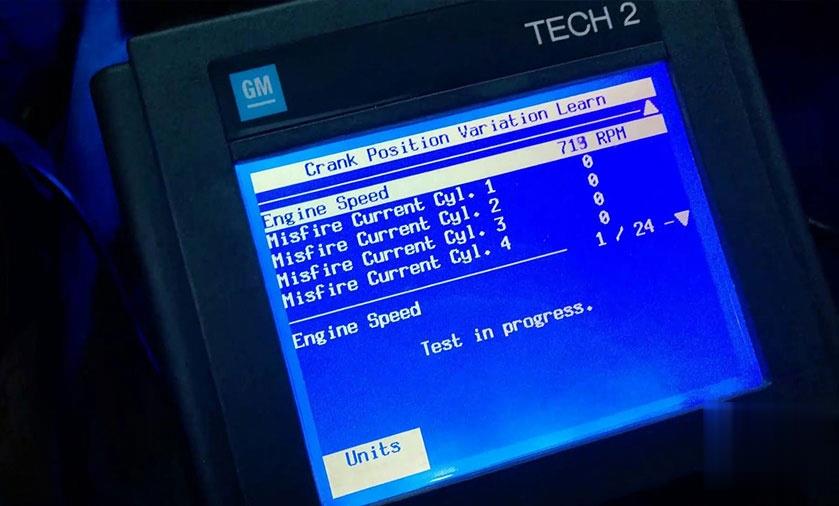
Test in progress.

tech2-2005-gmc-canyon-crankshaft-position-variation-learn-23 (2)

Learn status: learned this ignition.

Perfect, it’s exactly what we want.

Press “Exit”.

tech2-2005-gmc-canyon-crankshaft-position-variation-learn-24 (2)

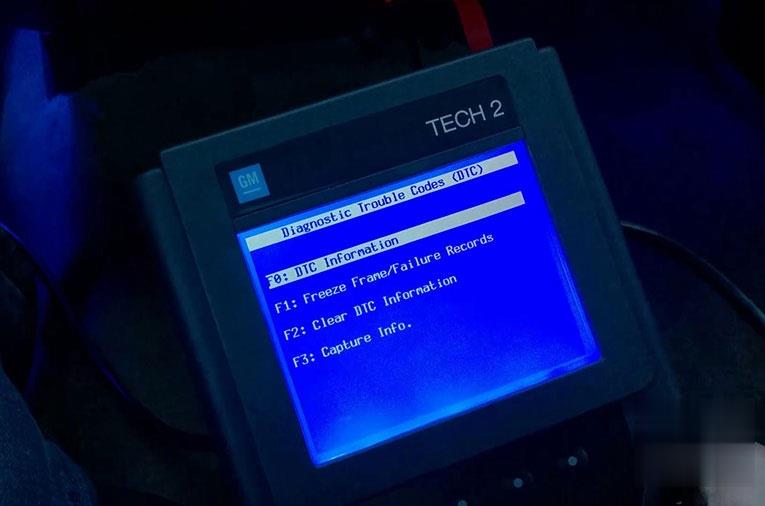
We wanna go “Diagnostic trouble codes (DTC).

tech2-2005-gmc-canyon-crankshaft-position-variation-learn-25 (2)

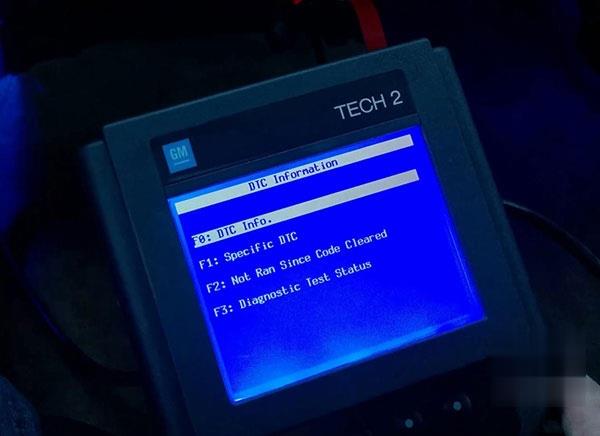
DTC information.

tech2-2005-gmc-canyon-crankshaft-position-variation-learn-26 (2)

DTC Info.

tech2-2005-gmc-canyon-crankshaft-position-variation-learn-27 (2)

No diagnostic trouble codes.

tech2-2005-gmc-canyon-crankshaft-position-variation-learn-28 (2)

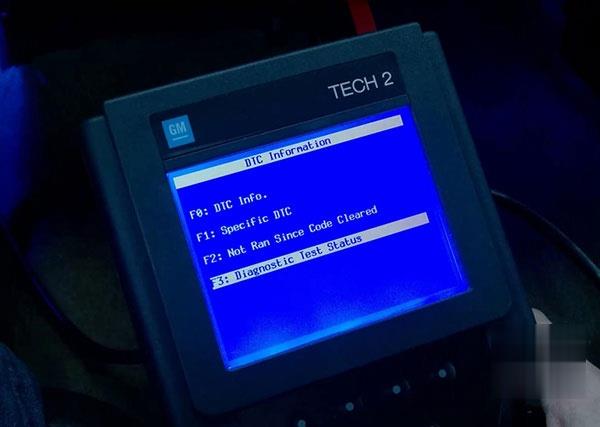
Back to “Diagnostic test status”.

tech2-2005-gmc-canyon-crankshaft-position-variation-learn-29 (2)

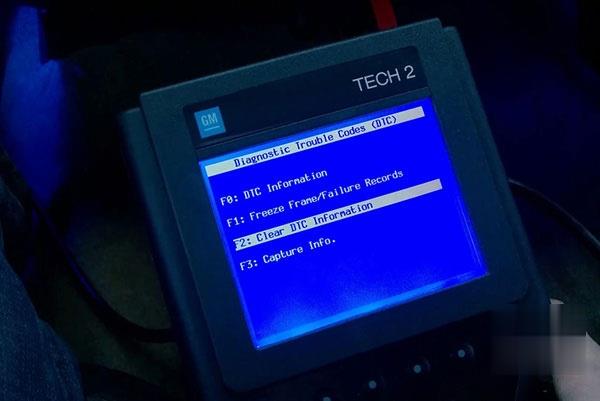
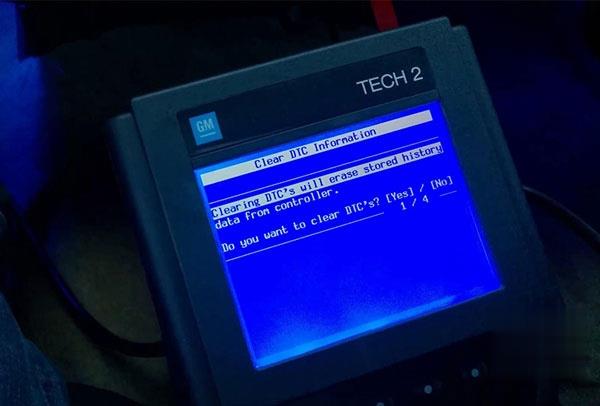
Clear DTC information.

tech2-2005-gmc-canyon-crankshaft-position-variation-learn-30 (2)

Yes to continue.

tech2-2005-gmc-canyon-crankshaft-position-variation-learn-31 (2)

Go back to “DTC info” and no diagnostic trouble codes.

Conclusion:

You just fix the problem, you’re done.

And that’s how you use GM Tech2 do a crankshaft position relearn on a 2004 – 2012 Chevy Colorado /Canyon.

Thanks .

GM Tech2 Clone PCM Reprogramming on 96 LT4 Corvette Works

Big thanks to @ grandspt for his experience sharing.

I purchased a 1996 PCM that was used for short money, my goal was to keep it as a spare for my ’96 LT4 Vette since parts are getting harder to come by.
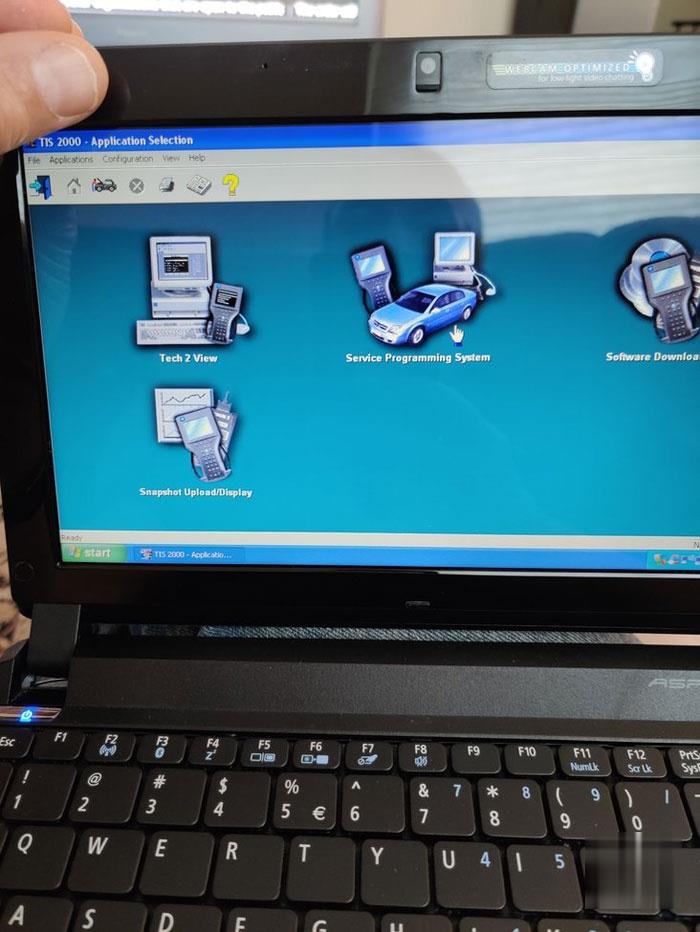
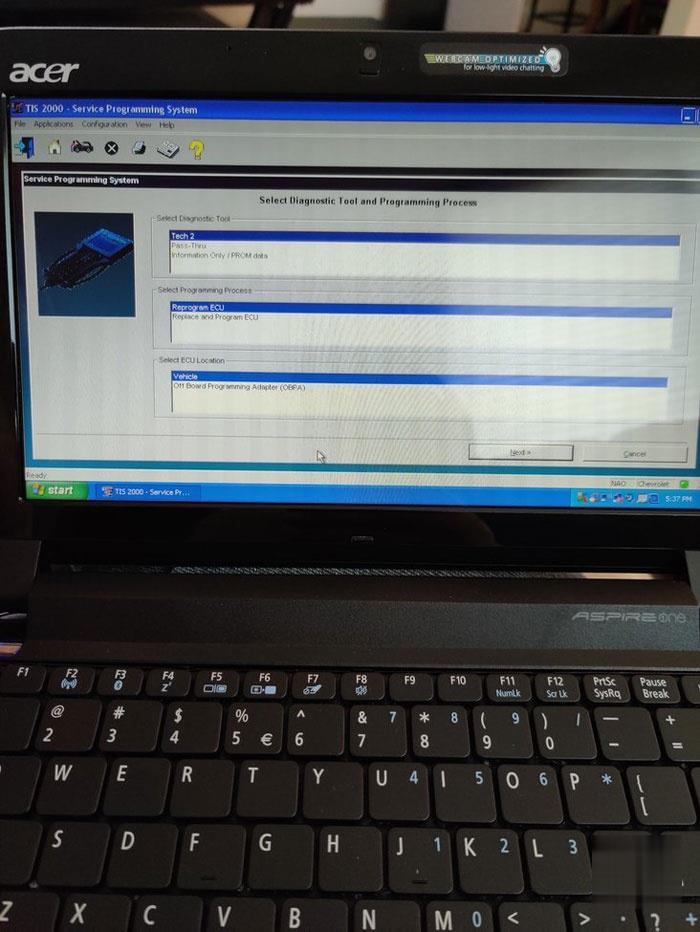
I removed my PCM and installed this used PCM. I took out my GM Tech 2 Clone, opened my Windows XP Netbook that I had previously installed the TIS 2000 software (this software disk came with the Tech 2 Clone). I opened the TIS 2000 application and went to the “Service Program Application” and followed the steps to “Reprogram ECU”.
Now this used PCM obviously had a different VIN. So during the program when it prompted me to see if the VIN was correct I deleted the old VIN and entered in my cars VIN.
Then I uploaded the program for my VIN into the TECH2 Clone per the prompts, disconnected the Tech 2 Clone from my Netbook and connected my Tech 2 Clone to my OBDII port. I turned the ignition ON without starting the car and selected “Service Programming System” followed the prompts and watched the TECH 2 Clone load my VIN programming for my car.
It worked great, in fact I bought a second 1996 PCM for $150.00 and performed the same procedure and that one worked just as well!
After I used my JET DST to upload my Tune for my engine into the PCMs. The Tech II will obviously only install the factory calibrations. Now I have two spares in case my original fails.
Hope this information is helpful.

TIS2000 Application

GM-Tech2-Clone-PCM-Reprogramming-on-96-LT4-Corvette-Works-1 (2)

Here is where you select Reprogram ECU.

GM-Tech2-Clone-PCM-Reprogramming-on-96-LT4-Corvette-Works-2 (2)

These are the prompts for the Tech 2 setup.

GM-Tech2-Clone-PCM-Reprogramming-on-96-LT4-Corvette-Works-3 (2)

First I only have a 1996 with the OBD II, this is all I could experiment with so I can’t check other years.
I think it can also work on the 94, 95 model years as well, but I could be wrong.
The TIS 2000 software comes with the Tech 2 scanner.

How to Activate Engineer Mode on Porsche PIWIS III

Porsche Piwis III Development Mode (also called Engineer Mode) enables users with special functions like modification or flashing.
Easy tips on enabling the E mode of Piwis 3 software.

OEM Porsche PIWIS Tester III
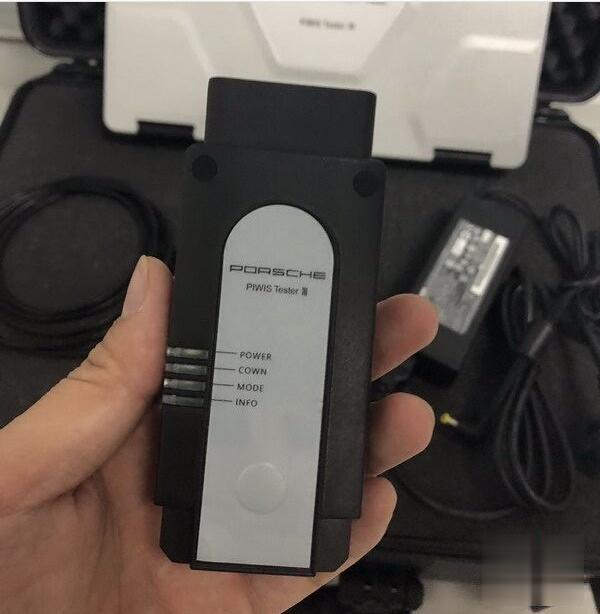
How-to-Activate-Engineer-Mode-on-Porsche-PIWIS-III-1 (2)

How to enable OEM Porsche PIWIS-III to Engineer Mode on Panasonic CFAX3 Laptop?
For Newer Porsche Models:
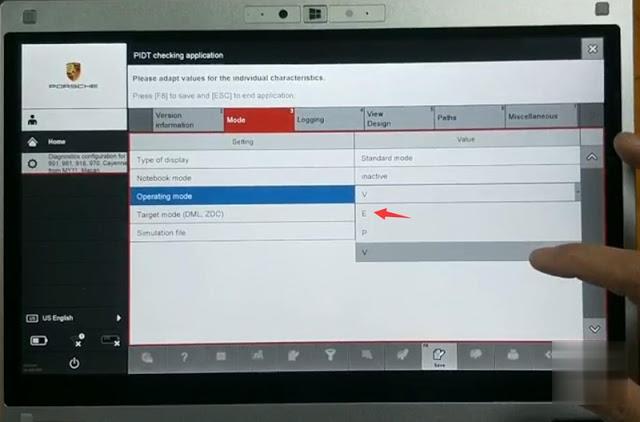
Go to Home->System->Diagnostic configuration for 991, 981, 918, 970, Cayenne from MY11, Macan
Go to Mode tab
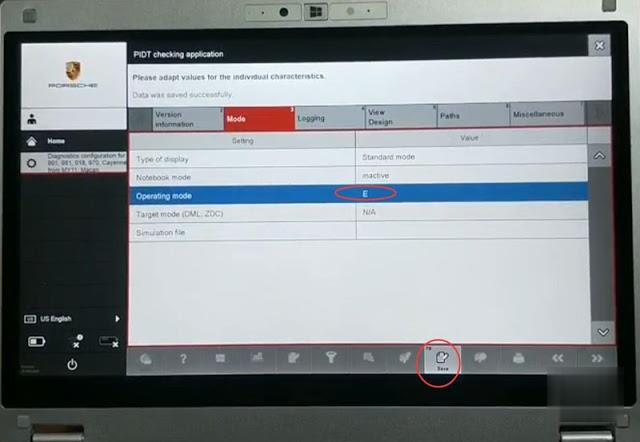
Set Operating Mode to E

How-to-Activate-Engineer-Mode-on-Porsche-PIWIS-III-2 (2)
How-to-Activate-Engineer-Mode-on-Porsche-PIWIS-III-3 (2)
How-to-Activate-Engineer-Mode-on-Porsche-PIWIS-III-4 (2)
How-to-Activate-Engineer-Mode-on-Porsche-PIWIS-III-5 (2)

3 Modes available:

V mode: Standard After-sales Mode for Porsche Piwis 3 ordinary diagnostics
E mode: Development Mode for Piwis III engineering software functions
P mode: Production for supplier data information (Customers no need work on P mode)

and save setting

How-to-Activate-Engineer-Mode-on-Porsche-PIWIS-III-6 (2)

For Older Porsche Models:
Go to Home->System->Diagnostic configuration for other models-> Mode->Operate Mode->E (Engineer Mode)->Save
to activate Development mode.

VXDIAG VCX DoIP Porsche PIWIS III

How-to-Activate-Engineer-Mode-on-Porsche-PIWIS-III-7 (2)

Go to Home->System->Diagnostic configuration for 991, 981, 918, 970, Cayenne from MY11, Macan
Go to Mode tab
Set Operating Mode to E

Piwis Tester III Supports New & Old Porsche models:
All Porsche from 1998-2018:
Porsche 911(997) (991)
Boxster/Cayman (987)
Cayenne up to MY 2010
Cayenne from MY 2011
Panamera
Especially the latest models:
Paramera (971) 2018
Caynenne (92A) 2018
Macan (95B) 2018
911 (991) 2018
and other old models

Specific functions of the Porsche Engineer Mode:
1. Porsche Bluetooth activation by engineers, AUX engineer activation, etc.
2. Original sports valve switch modification
3 Stopwatch color change
4. LED headlight activation
5. PCM host low configuration upgrade to high configuration
6. Original reversing color picture installation
7. Replacement of used car parts
8 Replacement of Used PCM Host
9. Clear the airbag crash data
10. Display the instrument horsepower and torque
11. Online programming and firmware update, manual programming, automatic programming, irregular programming
12. Long-term sports performance of Porsche, retrofit of tire pressure TPM system, modification of panoramic camera

List of features that piwis3 Engineering mode can perform:
1.The power system of some models is updated. Compass and wave plate modification
2, Porsche PSE Retrofit
3, Porsche eject function activation
4, Porsche start-stop function close and open
5, Porsche airbag unlock, clear the crash data
6, Change the second-hand accessories, coding, parameters change
7, 981 \ 991 G value graph display, sports performance graph display, shift graph display
8 Porsche engineers computer programming, coding, write directly after parameter change
9 Porsche check engine light on off, seat belt warning light off, etc.
10 Porsche rear wing adjustment, active cruise control modification
11, Under normal circumstance, the Porsche Cayman old airbag ECU requires to change one new airbag after unlock, with the piwis3 engineering mode, you can directly unlock the old airbag without replacing a new one.
12. Irregular coding, regular coding, manually coding, automatically coding; change content is irregular coding, change model display.
OBDSTAR Odo Master FAQs

Q: Can Odo Master support odo adjustment for w205 c200 2015?
A: Mostly it can, but sometimes it may fail to recognize the version with small probability.

Q: Is Odo Master able to work on North American Dodge Charger, Challenger and RAM (before 2020) for mileage correction via OBD?
A: It works okay on these cars produced in 2018 or 2019 year, but not totally sure about 2020 year. You can give it a shot.

Q: Will X300M support 2017 Mazda CX-5 odometer adjustment?
A: I’m afraid not, but odomaster supports.

Q: Does X300M work on mazda 2013 CX-5?
A: It might works, but I strongly recommend odomaster.

Q: Can Odo Master support 2015 Renault Trafic (Mark 3) 1.6DCI 115 commercial diesel van odometer/mileage correction?
A: Yes, it can.

Q: Does obdstar odomaster adjust mileage for the following cars without disassembling dash?
Mercedes W169 2012
Opel Insignia 2010
Citroen C3 2012
A: It supports Opel Insignia 2010, but not for Citroen C3 2012. As for Mercedes W169 2012, it works in most cases.

Q: Can odomaster program mileage via OBD for 2013 Dodge Ram?
A: Yes, it’s been confirmed.

Q: Does Odomaster standard version support 2009 Mercedes Benz SL550, R230 chassis odometer adjustment via OBD2?
A: Sorry, it doesn’t.

Q: Will odomaster reset odometer on golf 7 audi from 2015 MQB?
A: Yes, it will.

Q: Does this work on a 2017 Ford F-150?
A: Yes, it does.

Q: Can i change odometer on a Hyundai Elantra 2018 with the Odomaster?
A: Yes, you can.

Q: Does it work on renault clio 2017 diesel?
A: Yes, it does.

Q: Had calibration failure error when correct odometer on a 2013 Ford F-150 by odo master??
A: Odomaster supports following F-150 , make sure your 2013 model type is SPC5604, otherwise it will not work.
2017 SPC5645
2015-
SPC5606
SPC5645
2011-
2013 SPC5604
2006-2007

Q: Can i adjust mileage for 2015-2020 Dodge Charger?
A: The Odometer Correction Tool Odomaster supports following Charger :
Charger
2018-
2016-
2015 (D70F3525)
2011-
2004-

Q: Can this do Australian model Mercedes Benz V class 2015-2018?
A: No, it cannot.

Q: Will odomaster change mileage for these cars: 2019 Toyota Sienna, 2015 Toyota Camry Hybrid AVV50R?
A: No, it will not. .

Q: Will odomaster reset mileage on a Ford Mondeo 2015 via OBD?
A: It supports 2015 Mondeo with type SPC5645S + 93C86 and New Mondeo 2015- Monochrome screen.

Autel MaxiIM IM608 BMW FEM BDC Function List

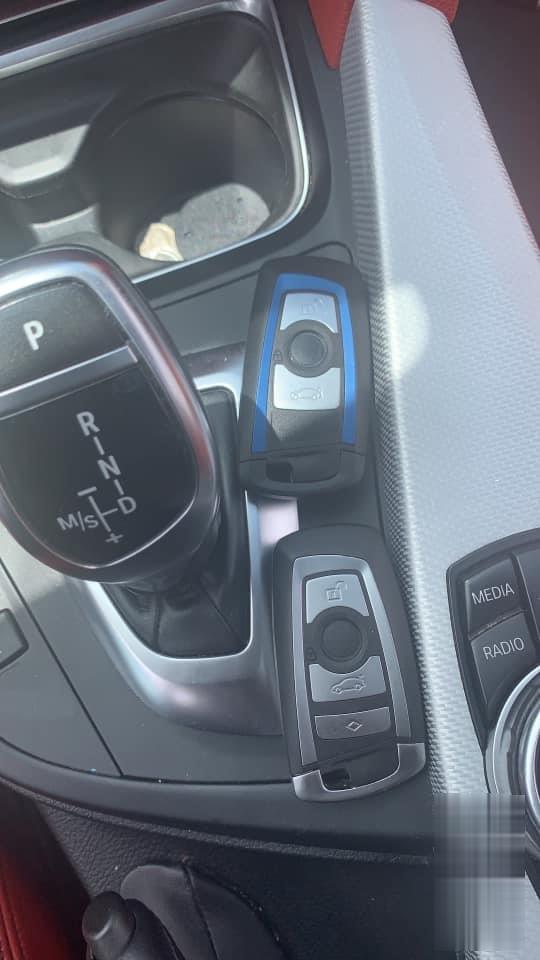
One Customer’s 2014 bmw 428i with Fem module lost keys, I’m using Autel MaxiIM IM608 key programmer, I got the Fem module unlock and made key.

The only way the car will crank up is when I put the key next to the steering column. The unlock and lock will not work in the keyless Go doesn’t work either.

What’s wrong and how to do?

Autel-Maxiim-Im608-Bmw-Fem-Lost-Keys-Programming-1 (2)

Autel-Maxiim-Im608-Bmw-Fem-Lost-Keys-Programming-2 (2)

Advice and solution:

Please kindly check the frequency of the key and FEM if is same,
I program this cars every week and I chose any position I want sometimes I chose position 5, it doesn’t matter which position, frequency of key n fem must be same……

Also sometimes the quality of the key matters, if it is a bad key, change key.

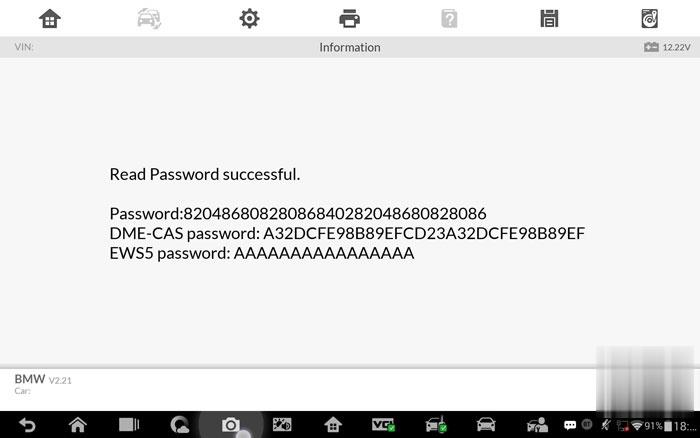
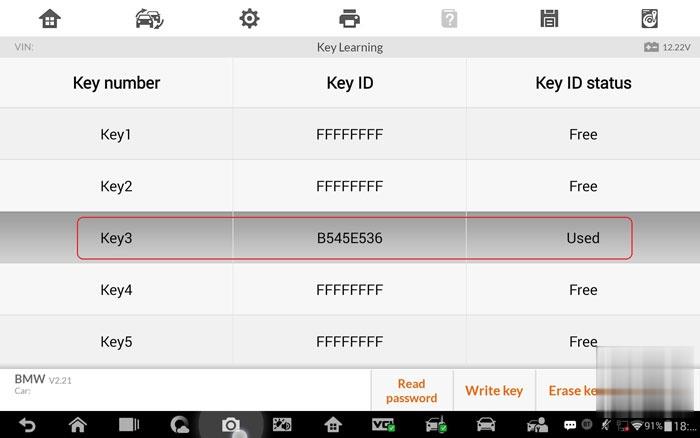
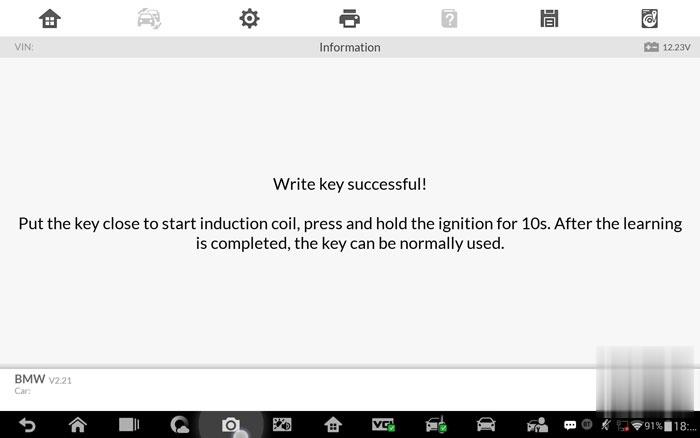
I have done 3rd key without disabling other keys and it is working with the keyless function and remote… It asks to put the key next to the coil and hold the start button for 10 seconds. After that the keyless function is working.

key in position 1 or 2, otherwise make sure the fem is correctly coded

How to use Key Programmer Autel IM608 to program FEM/BDC BMW AKL, the result is writing key successfully.

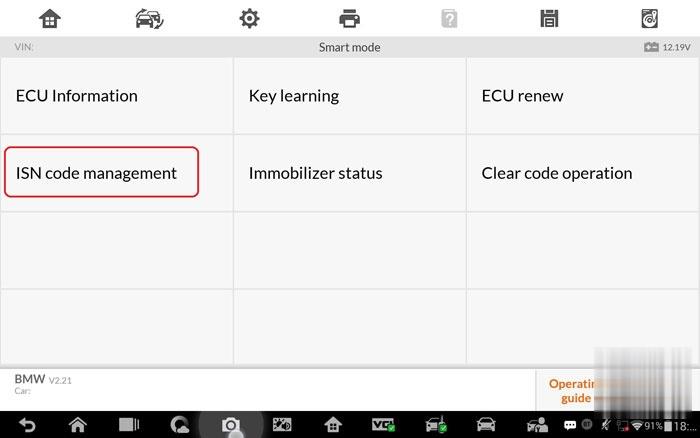
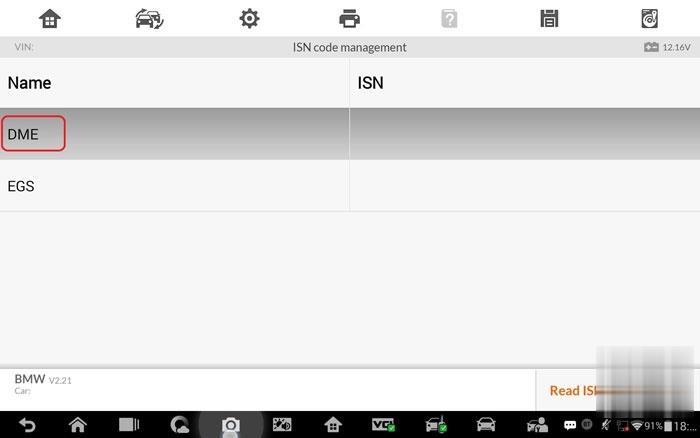
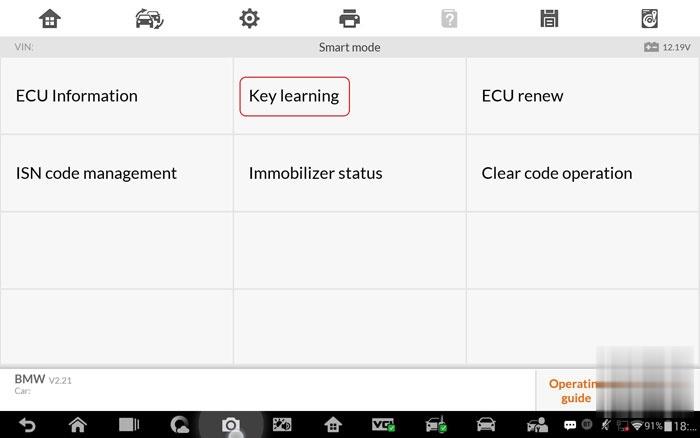
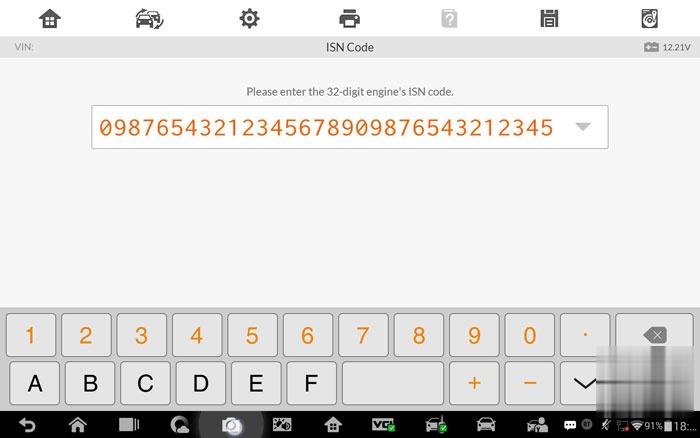
Note: the ISN code is just an example because as I don’t have connected the DME, I cannot read the right one but it should be the first step before access the key programming. You can do it accessing the function “ISN Code Management” and then access to “Key Learning“.

ISN code management.
Autel-Maxiim-Im608-Bmw-Fem-Lost-Keys-Programming-3 (2)

DME.
Autel-Maxiim-Im608-Bmw-Fem-Lost-Keys-Programming-4 (2)

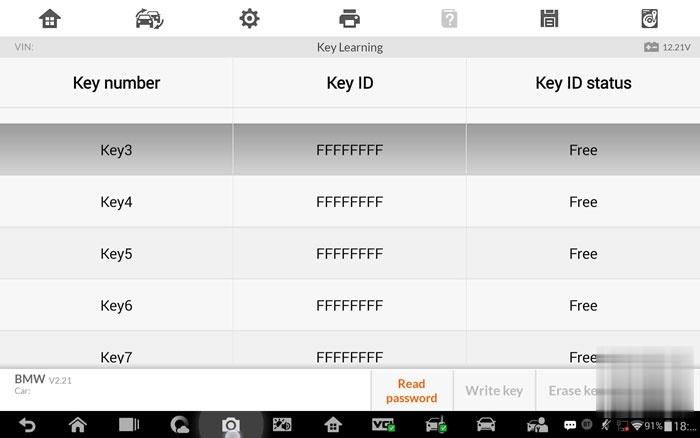
Key learning.
Autel-Maxiim-Im608-Bmw-Fem-Lost-Keys-Programming-5 (2)

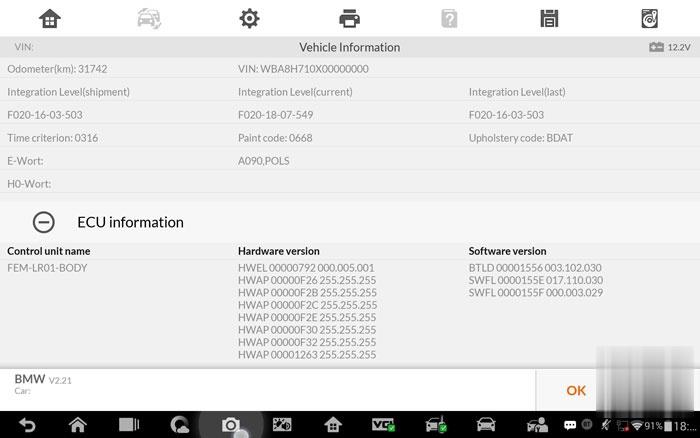
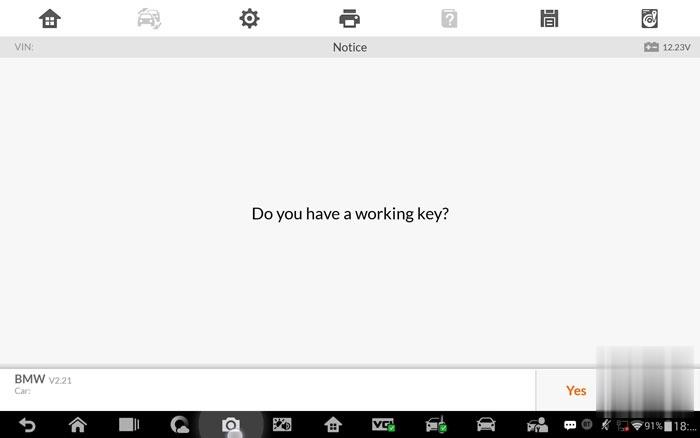
Confirm vehicle information.
Autel-Maxiim-Im608-Bmw-Fem-Lost-Keys-Programming-6 (2)

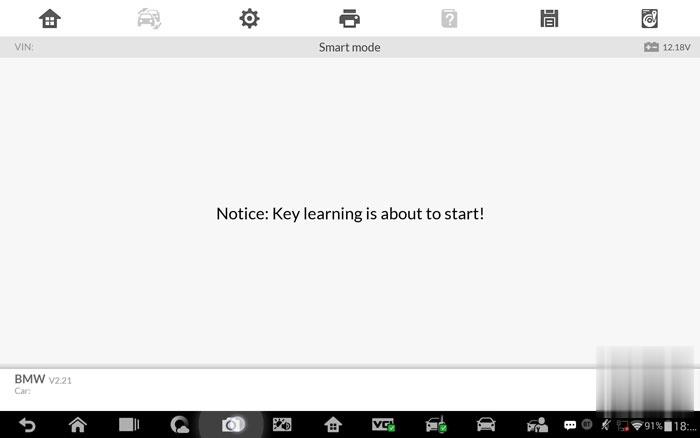
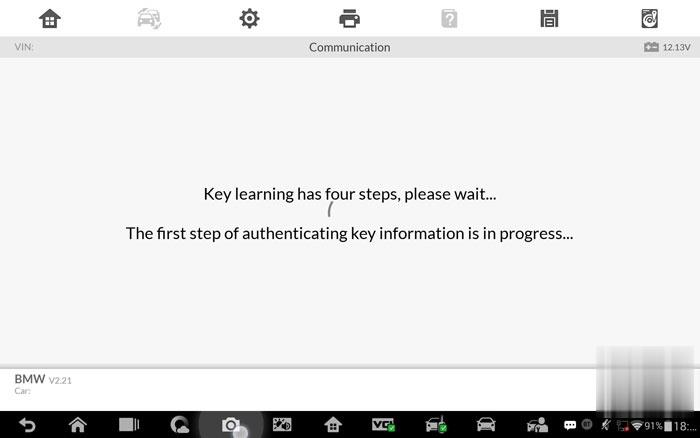
Key learning is about to start.
Autel-Maxiim-Im608-Bmw-Fem-Lost-Keys-Programming-7 (2)

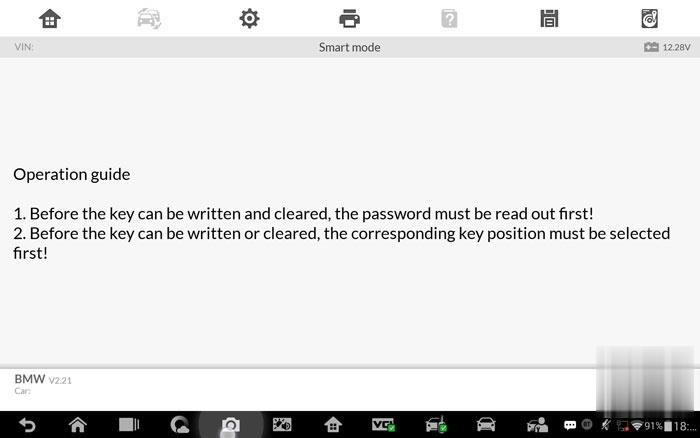
Read the operation guide:
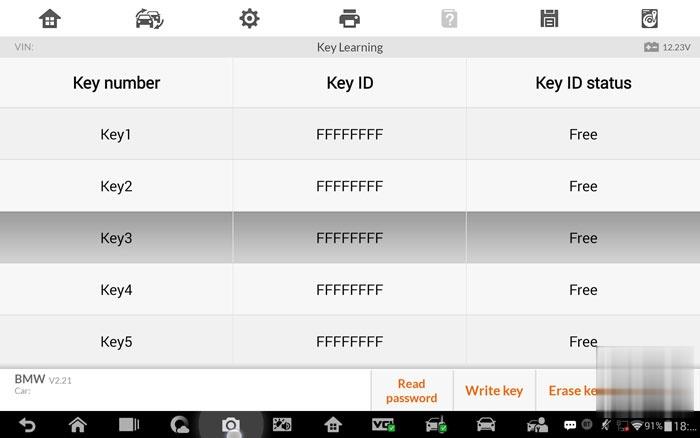
1). Before the key can be written and cleared, the password must be read out first!

2) Before the key can be written or cleared, the corresponding key position must be selected.

Autel-Maxiim-Im608-Bmw-Fem-Lost-Keys-Programming-8 (2)

Autel-Maxiim-Im608-Bmw-Fem-Lost-Keys-Programming-9 (2)

Autel-Maxiim-Im608-Bmw-Fem-Lost-Keys-Programming-10 (2)

Enter 32-digit ISN code to calculate password

Autel-Maxiim-Im608-Bmw-Fem-Lost-Keys-Programming-11 (2)

Autel-Maxiim-Im608-Bmw-Fem-Lost-Keys-Programming-12 (2)

Autel-Maxiim-Im608-Bmw-Fem-Lost-Keys-Programming-13 (2)

Autel-Maxiim-Im608-Bmw-Fem-Lost-Keys-Programming-14 (2)

Autel-Maxiim-Im608-Bmw-Fem-Lost-Keys-Programming-15 (2)

Autel-Maxiim-Im608-Bmw-Fem-Lost-Keys-Programming-16 (2)

Maybe you are interested in Autel IM608(IMMO) BMW FEM BDC function list:

System Function Sub-function Version
FEM/BDC Immobilizer Clear code operation / Above BMW_V3.00
FEM/BDC Immobilizer Key operation Enable/Disable key Above BMW_V3.00
FEM/BDC Immobilizer Special function Transport mode Above BMW_V3.00
FEM/BDC Immobilizer Special function Trunk operation Above BMW_V3.00
FEM/BDC Immobilizer Sync operation Sync DME Above BMW_V3.00
FEM/BDC Immobilizer Vehicle frequency / Above BMW_V3.00
FEM/BDC Immobilizer Vehicle information / Above BMW_V3.00
FEM/BDC Immobilizer ECU reset / Above BMW_V3.00
FEM/BDC Immobilizer Coding Operation Backup coding Above BMW_V3.00
FEM/BDC Immobilizer Coding Operation Repair coding Above BMW_V3.00
FEM/BDC Immobilizer Coding Operation Restore coding Above BMW_V3.00
FEM/BDC Immobilizer EEPROM Operation Diagram Above BMW_V3.00
FEM/BDC Immobilizer EEPROM Operation M95128-Modify Data File Above BMW_V3.00
FEM/BDC Immobilizer EEPROM Operation M95128-Read Operation Above BMW_V3.00
FEM/BDC Immobilizer EEPROM Operation M95128-Write Operation Above BMW_V3.00
FEM/BDC Immobilizer EEPROM Operation M95256-Modify Data File Above BMW_V3.00
FEM/BDC Immobilizer EEPROM Operation M95256-Read Operation Above BMW_V3.00
FEM/BDC Immobilizer EEPROM Operation M95256-Write Operation Above BMW_V3.00
FEM/BDC Immobilizer Key operation Key learning Above BMW_V3.00
FEM/BDC Immobilizer Key operation Key status Above BMW_V3.00
FEM/BDC Immobilizer Programming Operation ECU preprocessing Above BMW_V3.00
FEM/BDC ImmobilizerProgramming OperationECU repairAbove BMW_V3.00